AI Caption Writing for Social Media (2026)
Learn AI caption writing without sounding generic: prompt formulas, platform-specific examples, spam and SEO risks, publish checklists, free Fuxux tools.

Disclosure: Independent guide from Fuxux. We are not affiliated with the platforms or third-party tools mentioned in this article. Product names belong to their owners.
AI caption writing is useful when it helps you turn a real idea into platform-native copy. It is risky when it replaces the idea. The difference sounds small, but it is the difference between a post that feels like a creator wrote it and a post that feels like autocomplete with hashtags.
In 2026, the best AI-assisted posts are not generic paragraphs. They are short, specific, edited, and adapted for the feed where they will appear. A TikTok hook needs a different job than a LinkedIn opener. An Instagram Reel needs a different rhythm than an X thread. Good AI tools can help with that adaptation, but only if your input is clear.
If you are building the publishing system around captions, pair this guide with how to schedule social media posts, how to automate social media posts without looking robotic, and social media approval workflow so drafts get reviewed before they go live.
Quick answer: use AI caption writing as an editing and adaptation layer. Start with your real idea, add audience context, pick the platform, ask for a specific hook and CTA, then edit the output before publishing. Do not ask AI to invent the whole post from a keyword.
What AI caption writing means in 2026
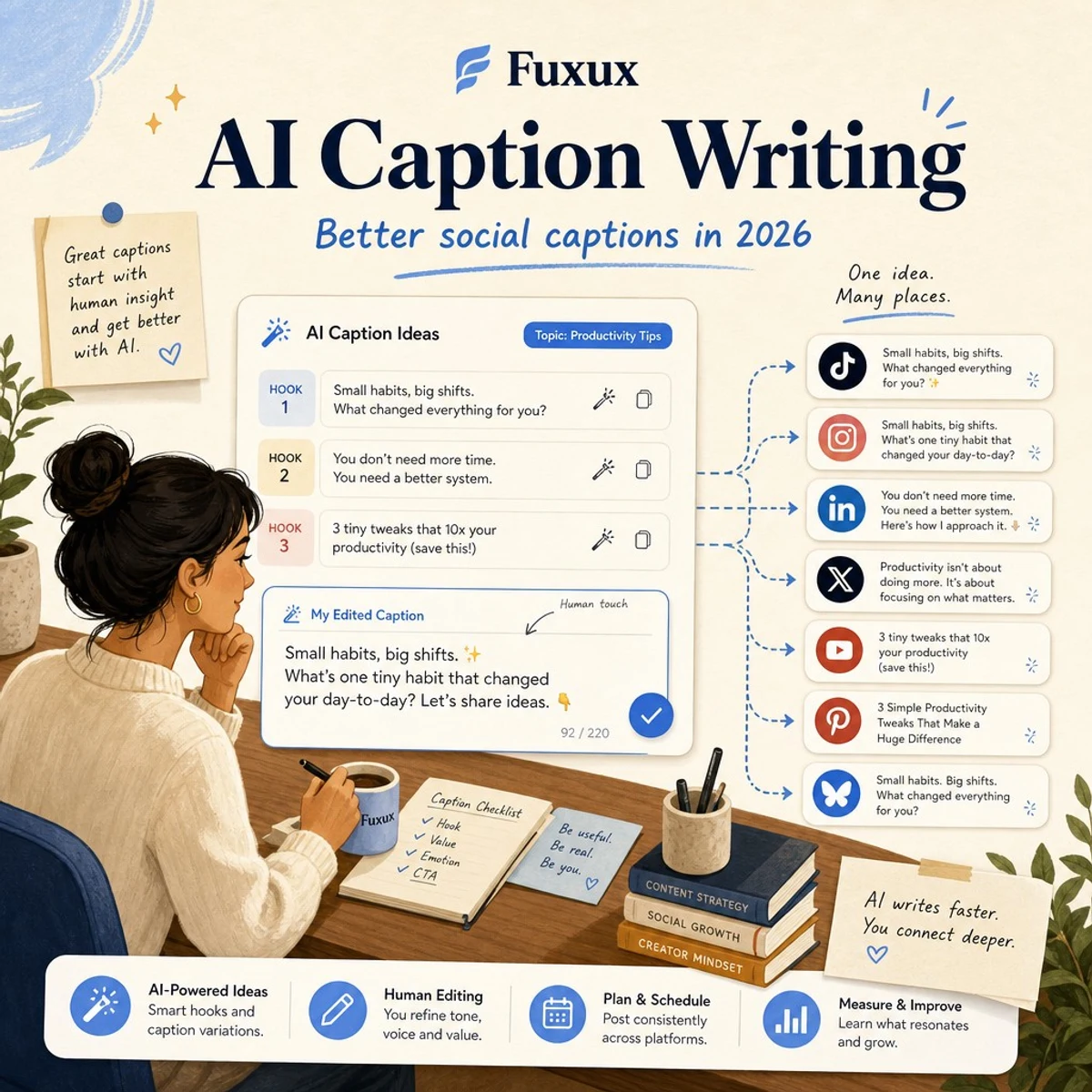
AI caption writing is the process of using an AI assistant or caption generator to draft, rewrite, shorten, localize, or adapt social media captions. The strongest use case is not "write me a post about productivity." The stronger use case is "turn this specific idea into three TikTok caption options with a curiosity hook, plain language, and no hype."
That matters because social posts are judged quickly. People see the first frame, the first line, the thumbnail, or the first few words. If the caption sounds like it could belong to anyone, it usually helps no one.
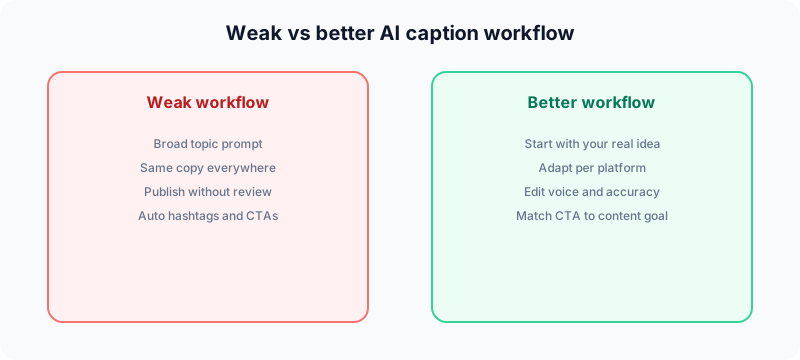
| Weak AI caption workflow | Better AI caption workflow |
|---|---|
| Prompt starts with a broad topic | Prompt starts with your actual point of view |
| Same caption posted everywhere | One idea adapted for each platform |
| Output published without review | Caption edited for voice, accuracy, and clarity |
| Hashtags and CTAs added automatically | Hashtags and CTAs matched to the content goal |
The input method that actually works
The best AI-generated captions start with a raw, specific, opinionated idea from you. The model can shape it. It cannot know why your customer asked that question, why your tutorial matters, or what your audience already believes.
Weak prompt
"Write a LinkedIn post about productivity."
Strong prompt
"I stopped using daily to-do lists and replaced them with one priority per day. My point is that most creators mistake movement for progress. Turn this into a LinkedIn post with a sharp first line, 3 short sections, a grounded takeaway, and a question at the end. Keep it practical, not motivational."
The strong prompt contains a belief, a story angle, a target platform, a structure, and tone limits. That gives AI enough direction to produce something worth editing.
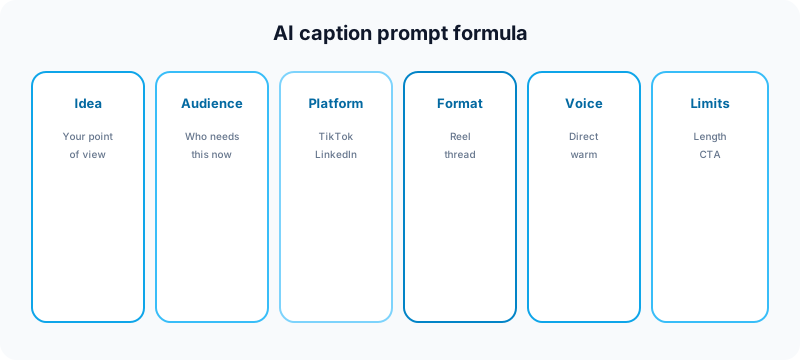
A practical AI caption prompt formula
Use this formula when you want usable captions quickly:
- Idea: What is the actual point you want to make?
- Audience: Who needs this and what do they already believe?
- Platform: Where will this post live?
- Format: Reel caption, TikTok caption, LinkedIn post, X thread, carousel caption, or Short description.
- Voice: Direct, warm, contrarian, educational, founder-led, casual, or expert.
- Constraints: Word count, first-line style, hashtags, CTA, banned phrases, or claims to avoid.
Here is a reusable version:
Turn this idea into [platform] captions for [audience]. The point is [specific opinion]. Keep the tone [voice]. Give me [number] options: one curiosity hook, one direct hook, and one educational hook. Avoid hype, fake urgency, and generic phrases. End with a CTA that fits the platform.
Platform-specific AI caption writing
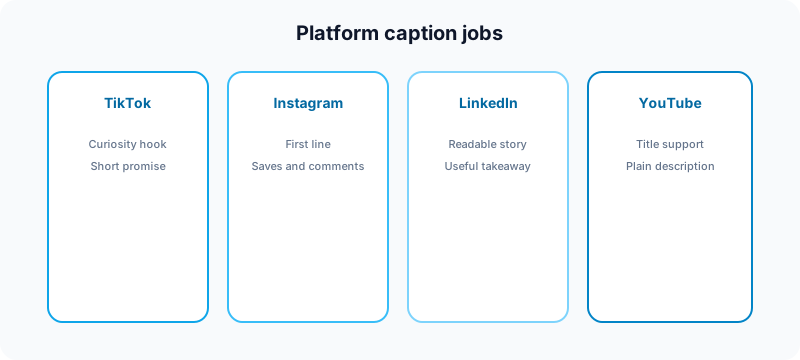
Each platform rewards a different wrapper. The same idea can work across multiple networks, but the caption should not be identical. If you are repurposing content across channels, pair this with the guide on how to cross post to multiple platforms.
| Platform | Caption job | Prompt direction |
|---|---|---|
| TikTok | Create curiosity and reinforce the video hook | Ask for short, casual options with one clear promise |
| Instagram Reels | Add context, saves, shares, and comments | Ask for a first line that works before "more" |
| Turn an insight into a readable business story | Ask for line breaks, a specific example, and a useful takeaway | |
| X | Make the point quickly or open a thread | Ask for punchy options without corporate filler |
| YouTube Shorts | Support discovery without keyword stuffing | Ask for a clear title-style first phrase and concise description |
| Explain the outcome and search intent | Ask for benefit-led copy with natural keywords |
TikTok caption prompts
TikTok captions should support the video, not explain the entire video. Ask AI for short options that create curiosity, set context, or invite a comment. If you want a fast starting point, use the free TikTok caption generator before editing the result in your own voice.
Instagram caption prompts
For Instagram, the first sentence matters because it appears before the expansion. Ask for a strong first line, then decide whether the rest of the caption should educate, tell a story, or drive comments. If you are planning a visual campaign, the Instagram grid maker and carousel splitter can help prepare the asset before the caption is finalized.
LinkedIn caption prompts
LinkedIn rewards clarity and useful perspective. Ask AI to avoid vague leadership language, keep paragraphs short, and include one concrete example. The LinkedIn text formatter can help with scannability after the caption is written.
YouTube Shorts prompts
Shorts descriptions should support the title and video idea without turning into a tag dump. Use the YouTube title checker for the title, then the YouTube tag generator for supporting topic tags, and ask AI for a short description that explains the value in plain language.
Handle and username checks before rebranding
If you are launching a new creator brand alongside refreshed copy, verify handles before you publish. The Instagram handle checker and TikTok username checker help you confirm format and availability before bios and CTAs go live.
How to keep AI captions sounding like you
The fear most creators have about AI-generated content is that it will erase their voice. That is a valid concern, but it is usually a workflow problem rather than an AI problem.
Give AI your voice samples
Paste two or three of your best posts into the prompt. Ask the tool to describe the tone before writing. If the description is wrong, correct it before generating captions.
Keep one human sentence
Before publishing, add at least one sentence only you would write: a personal detail, a customer line, a mistake you made, or a specific example from your workflow. That single detail often makes the whole caption feel human.
Use AI for variation, not personality
AI is excellent at creating variations: shorter, clearer, more casual, more direct, more platform-native. It is weaker at inventing taste. Your role is to decide which version actually sounds like you.
SEO and spam risks to avoid
AI captions can create spam signals if you publish the same caption everywhere, repeat keywords unnaturally, overuse hashtags, or make claims that are not supported by the content. Search and social systems both reward useful, original, audience-first content. Google's guidance on helpful content is a useful baseline: automation is not the issue by itself; low-value content is.
For sponsored content, endorsements, affiliate links, or gifted products, the caption also needs clear disclosure. The FTC's social media disclosure guidance is a good reference if you publish brand deals.
Avoid keyword stuffing
If the target phrase is "AI caption writing," it does not need to appear in every paragraph. Use natural related language: caption generator, social media captions, hooks, CTAs, platform adaptation, and content workflow.
Avoid fake urgency
Do not ask AI to add artificial scarcity, exaggerated promises, or "secret hack" framing. Those patterns look spammy and can weaken trust.
Avoid duplicate captions
If you post the same exact text to every platform, the content feels automated. Keep the idea consistent, but change the hook, CTA, and length for each network.
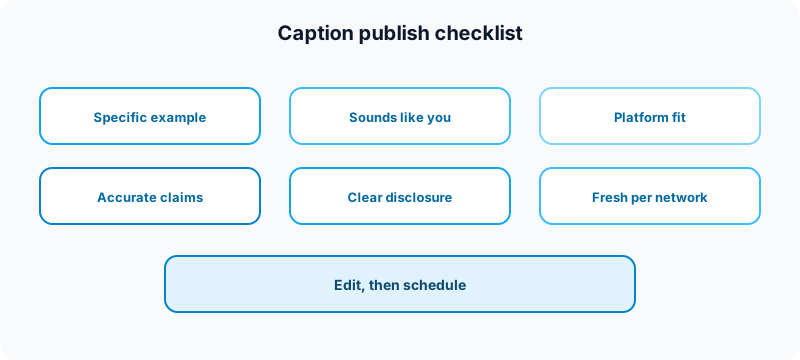
AI caption checklist before publishing
Use this quick review before you schedule a post:
- Specificity: does the caption include a real example, not just advice?
- Voice: would your audience believe you wrote it?
- Platform fit: does the length and CTA match the network?
- Accuracy: are claims, numbers, and product details correct?
- Disclosure: are sponsored or affiliate relationships clear?
- Freshness: did you adapt the copy instead of copying it everywhere?
If you are building a weekly posting system, start with the free social media growth guide, then use AI caption writing to adapt the posts you already planned. That is safer than opening a blank prompt every morning and hoping the model invents your strategy.
Free tools to support AI caption writing
AI captions work best when the surrounding post is also prepared well. Use the free Fuxux tools as a pre-publish workflow, not as a replacement for editing.
| Task | Free tool | How it helps |
|---|---|---|
| Plan the weekly idea mix | Growth guide | Choose content pillars before asking AI for captions. |
| Draft short-form hooks | TikTok caption generator | Generate hook-first caption options for short videos. |
| Format professional posts | LinkedIn text formatter | Make longer captions easier to scan after editing. |
| Prepare Instagram visuals | Instagram carousel splitter | Turn a caption idea into slides when one post needs more structure. |
| Improve YouTube packaging | YouTube title checker | Check the title before writing the supporting Shorts description. |
| Draft YouTube tag ideas | YouTube tag generator | Generate supporting tags after the title and description are clear. |
| Plan Instagram profile visuals | Instagram grid maker | Align visual campaigns with the hook in your Reel or carousel copy. |
| Check Instagram handle ideas | Instagram handle checker | Validate format before you publish bios with new CTAs. |
| Check TikTok username ideas | TikTok username checker | Keep branding consistent when you refresh short-form copy. |
Browse all nine free utilities on the free tools page or compare AI schedulers in best AI social media tools for creators.
Related guides
- How to cross post to multiple platforms
- How to schedule social media posts
- How to automate social media posts without looking robotic
- Social media approval workflow
- Content calendar guide for creators
Example: one idea turned into three captions
Raw idea: "Creators lose reach when they post the same video everywhere without changing the hook."
TikTok version
"Same video, different app, totally different hook. That is why your reposts feel flat."
Instagram Reels version
"If your Reel is just a TikTok repost with the same caption, you are making Instagram do extra work. Keep the idea, rewrite the hook, and give people a reason to save it."
LinkedIn version
"Cross-posting works when the idea travels and the wrapper changes. The mistake is treating TikTok, Instagram, and LinkedIn like identical feeds. Same insight, different first line, different CTA, different context."
This is the right way to use AI: generate a few native versions, then choose and edit the one that fits the asset.
Where Fuxux fits
Fuxux is built around that workflow. You can start with a raw idea, generate platform-specific caption options, review the variants, and schedule the final versions across your channels. The goal is not to remove your voice. The goal is to remove the repetitive formatting work that slows publishing down.
Fuxux is not affiliated with TikTok, Instagram, LinkedIn, X, Meta, YouTube, Pinterest, or Bluesky. Platform names are used to describe creator publishing workflows.
FAQ
Is AI caption writing bad for SEO?
No. AI-assisted captions are not automatically bad for SEO or discovery. The risk is publishing low-value, duplicated, or misleading content. Keep the idea original, edit the final caption, and avoid keyword stuffing.
Should I use the same AI caption on every platform?
No. Reuse the idea, but change the first line, length, CTA, and context for each platform. A caption that works on LinkedIn may feel too formal for TikTok or too long for a Reel.
What is the best prompt for AI social media captions?
The best prompt includes the idea, audience, platform, format, voice, and constraints. Do not start with only a keyword. Start with your actual point of view and ask AI to create platform-specific options.
How do I make AI captions sound human?
Add a detail only you would know: a customer question, a mistake, a personal example, or a specific workflow. Then remove generic phrases and read the caption out loud before scheduling it.
The bottom line
AI caption writing is good when it makes your real ideas clearer, faster, and more native to each platform. It is bad when it creates generic posts that could belong to anyone. Bring the opinion, example, audience, and goal. Let AI help with structure and variations. Then edit before publishing.
About the author
I build Fuxux, a scheduler that publishes to 12 platforms from one queue. I write about the parts of posting that are actually fiddly — what each platform will and won't let you schedule natively, where the API limits bite, and how to keep a queue running without babysitting it.
Ready to post smarter?
Fuxux handles the scheduling, the formatting, and the AI captions — so you can focus on ideas.
Start free — no credit card