How to Post a Long Video on Instagram (2026)
Learn how to post long videos on Instagram in 2026: feed videos, Reels, Stories, carousels, Live, upload checks, free tools, retention tips.

Disclosure: Independent guide from Fuxux. We are not affiliated with the platforms or third-party tools mentioned in this article. Product names belong to their owners.
Posting a long video on Instagram in 2026 is less about finding one hidden upload button and more about choosing the right format. A 12-minute tutorial, a 45-minute interview, a 4-part Story, and a Live replay all behave differently.
The safest workflow is simple: decide what the viewer needs, choose the Instagram surface that fits the length, prepare the video for that surface, and package it so people actually keep watching.
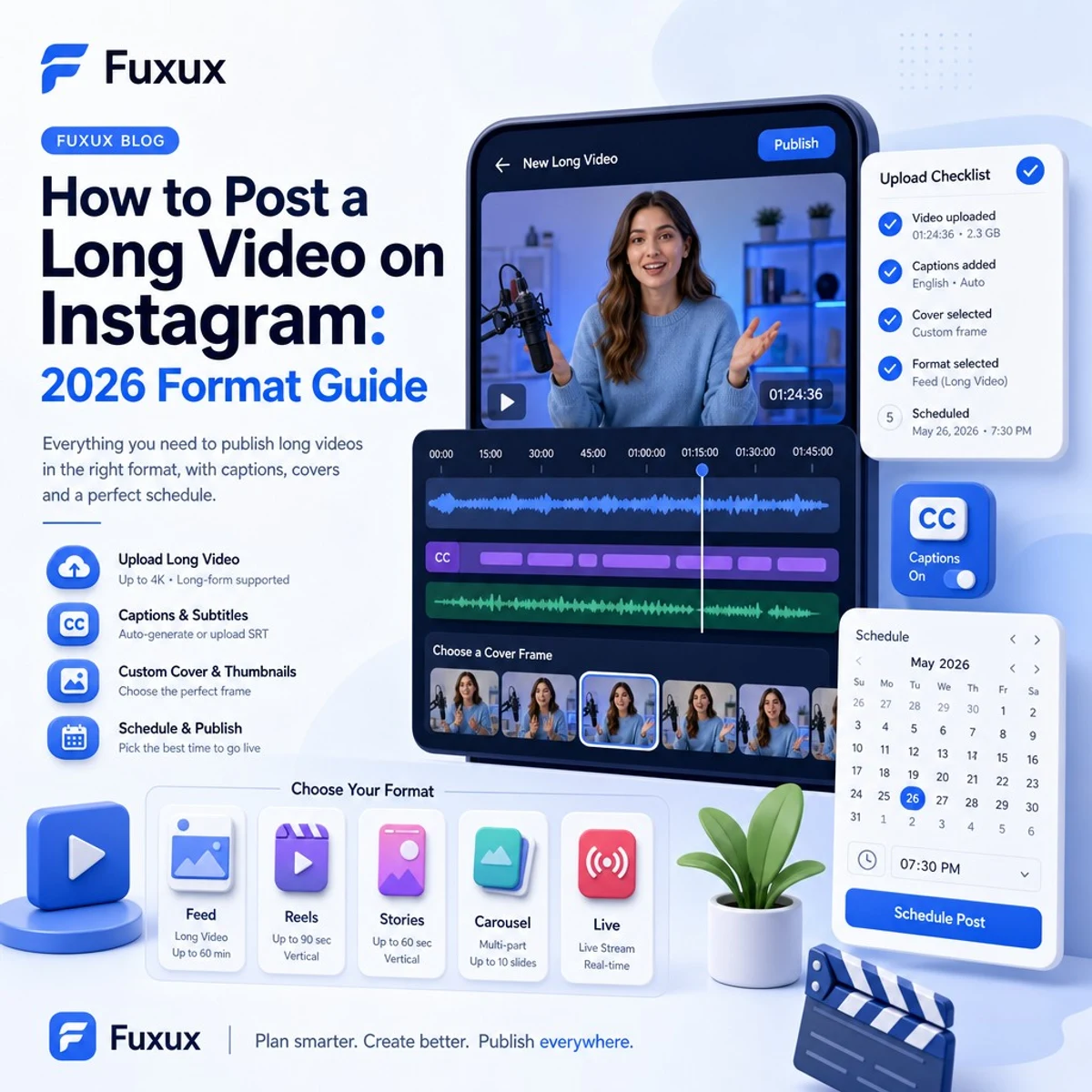
Quick answer: where should a long Instagram video go?
Use this rule before you upload:
- Feed video: best for complete tutorials, interviews, breakdowns, product demos, and videos people may find from your profile later.
- Reel: best for discovery, but keep it tighter when reach matters. Longer Reels can work when the topic earns attention throughout.
- Stories: best for temporary updates, behind-the-scenes clips, event coverage, or multi-part sequences your existing followers will tap through.
- Carousel: best when a long video naturally breaks into short chapters or steps.
- Live: best for workshops, Q&A sessions, webinars, and events that need real-time interaction.
Instagram features and account limits can change, so check the upload screen on your account before planning a major launch. Meta's official Instagram Help Center is the best place to verify current format rules.
Instagram long video limits in 2026
Instagram has moved away from the old IGTV era. Long videos now live inside regular Instagram surfaces such as Feed, Reels, Stories, and Live. The exact upload path matters because the app and desktop web experience may not always expose the same length options.
Feed videos
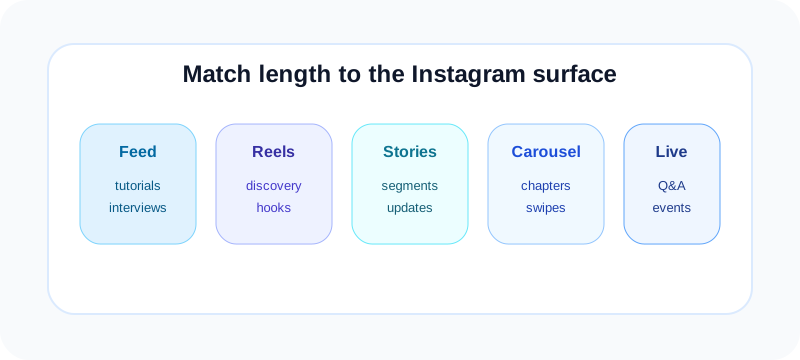
Feed videos are the cleanest choice when you want one complete video on your profile. They work well for tutorials, interviews, product walkthroughs, long explanations, and behind-the-scenes stories that should stay discoverable after launch.
Reels
Reels can support deeper content than they used to, but discovery still rewards strong hooks and tight pacing. If the video is mostly for new viewers, shorter is usually safer. If it is for people who already trust you, a longer Reel can make sense.
Stories
Stories are made of short segments. For a longer clip, plan to split it into parts and label the sequence clearly. Stories are great for urgency, but they are not the best archive unless you save them to Highlights.
Live
Live is the long-session option. Use it when audience interaction matters: questions, comments, guest conversations, classes, and events. After the Live, repurpose the best moments into shorter feed posts or Reels.
What happened to IGTV?
IGTV is no longer a separate publishing workflow. If you remember uploading long videos through IGTV, think of that as old platform history. In 2026, choose the current Instagram format based on distribution: Feed for profile-based viewing, Reels for discovery, Stories for temporary sequences, and Live for real-time sessions.
This is good for creators because you do not need a separate IGTV strategy. It also means packaging matters more. A long video has to compete inside the same attention environment as shorter content.
How to post a long video to Instagram Feed
Use Feed when the video should live on your profile and be easy to revisit. Before uploading, prepare the file and thumbnail outside Instagram if possible.
1. Export the video cleanly
Use MP4 when possible, keep the resolution sharp, and compress the file without making it blurry. For most creators, 1080p is a practical balance between quality and upload reliability.
2. Choose the aspect ratio
Vertical 9:16 gives the most screen space. Square 1:1 can work for interviews, clips, and podcast-style videos. 4:5 is strong for feed visibility. Widescreen 16:9 is acceptable, but it usually feels smaller in a mobile feed.
3. Upload from the surface that supports your file
If the mobile app rejects or trims the video, try Instagram on desktop or Meta Business Suite. Large videos are often easier to handle from a computer because the file is already edited there and the connection is more stable.
4. Pick a real cover
Do not let Instagram choose a random frame where your eyes are closed or the screen is blank. A long video needs a clear promise before viewers commit. Use a custom cover or a strong frame with readable contrast.
5. Write a first-line hook
The caption should tell people why the long video is worth watching. Lead with the outcome, not a generic intro. Example: "This 12-minute walkthrough shows the exact profile cleanup I use before launching a new offer."
How to post long Reels without killing retention
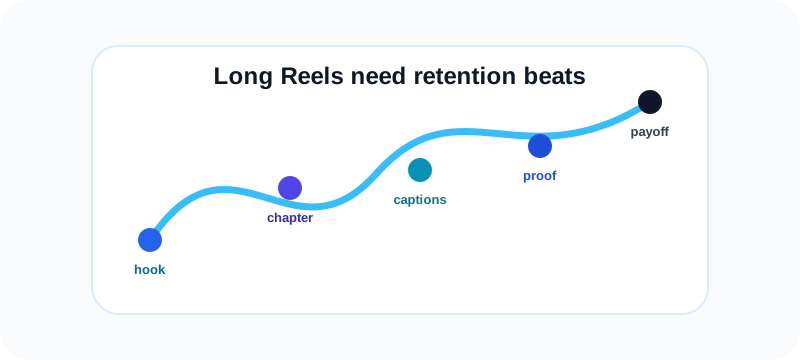
Long Reels are tempting because Reels are the discovery engine. But long does not automatically mean deeper. It only works when the video earns the extra time.
Open with the payoff
Show the result, tension, or transformation first. If the first 10 seconds feel like setup, many viewers will leave before the video becomes useful.
Add chapters visually
Use on-screen labels such as "Step 1", "Mistake 2", or "Before / After". Chapters make a long Reel feel structured instead of endless.
Use captions
Many viewers watch without sound. Burned-in captions or clear text overlays keep the video understandable in silent environments.
Cut anything that repeats
If a section makes the same point twice, remove the weaker version. Long videos need density. Viewers forgive length when the value keeps moving.
How to split long videos for Stories
Stories are not designed for a single long file. They work as a sequence. The viewer taps through clips, so each segment needs to feel intentional.
Pre-cut before upload
Use an editor to split the video into short clips before uploading. This gives you more control than trying to trim inside the app under time pressure.
End each segment cleanly
Do not cut mid-sentence if you can avoid it. End each clip at a natural beat, then start the next one with a small visual cue.
Label the sequence
Add "Part 1 of 4", "Part 2 of 4", or a progress marker. Viewers are more likely to continue when they understand how much is left.
Save important sequences to Highlights
Stories disappear unless you save them. If the long video teaches something evergreen, turn the sequence into a Highlight so new profile visitors can watch later.
Carousel workaround for long videos
A carousel can hold multiple short video clips in one post. This is useful when the long video naturally breaks into chapters: a Q&A, a recipe, a workout, a mini-course, or a product demo.
The downside is that viewers must swipe. The upside is that swiping creates active engagement, and each slide can have its own mini-payoff.
If your long visual starts as one wide asset or storyboard, the free Instagram carousel splitter can help you create clean swipeable slides. For profile launch visuals, the Instagram grid maker is better.
When Instagram Live is the better long-video choice
Choose Live when the value is interaction, not polish. A workshop, office hours, live teardown, interview, or community Q&A can work better live than as a perfectly edited upload.
- Announce the Live ahead of time.
- Prepare a simple run-of-show so the session does not wander.
- Pin the topic or question so late joiners understand the context.
- Save the best moments as shorter clips afterward.
Long Live sessions can become a content source. One hour can produce several Reels, a carousel summary, a newsletter, and a follow-up feed video.
How to get people to watch a long Instagram video
Use a stronger hook than usual
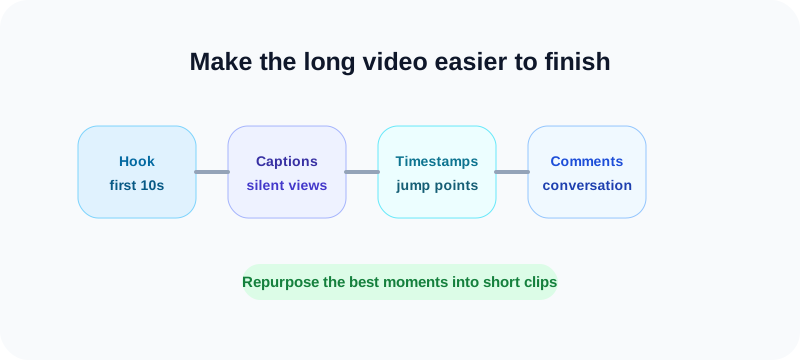
The longer the video, the more trust you are asking for. Start with the result, mistake, conflict, or promise. Avoid slow intros.
Put timestamps in the caption
For longer feed videos, timestamps tell viewers the video is structured. They also help people jump to the section they care about.
Tell viewers who it is for
"If you are planning your first product launch, watch this before you record your next Reel" is more useful than "new video is up."
Repurpose the best clips
Do not expect one long video to do every job. Cut highlights into Reels, quote the best lesson in a carousel, and use Stories to send followers back to the full version.
Long-video upload checklist
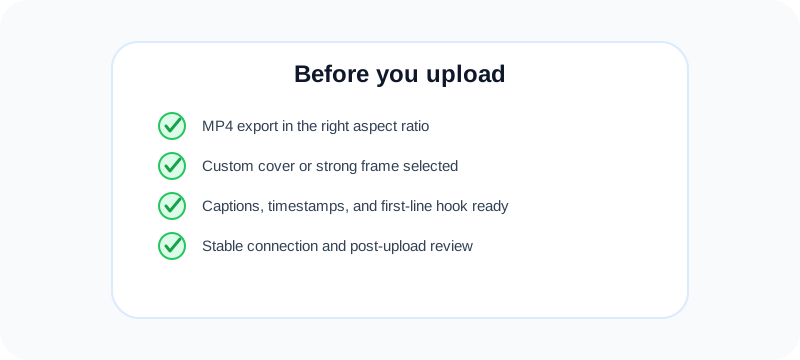
- Export MP4 in a clean aspect ratio.
- Compress enough for reliable upload without losing clarity.
- Create a custom cover or choose a strong frame.
- Add captions or on-screen text where needed.
- Write a caption with the payoff and timestamps.
- Upload on a stable connection, preferably from desktop for large files.
- Watch the post after upload to confirm audio, crop, and cover are correct.
Free tools to prepare a long Instagram video
A long video usually needs more than one asset. Use the Instagram carousel splitter when the best lessons can become swipeable chapters, and use the Instagram grid maker when a launch visual should anchor the profile before the video goes live.
If the long video is part of a growth campaign, check the profile first. The Instagram handle checker helps validate a username before you send viewers to it, and the social media growth guide gives you a simple posting rhythm for teasers, reminders, follow-up clips, and review.
For deeper Instagram growth planning, pair this workflow with the Fuxux guides on getting your first 1,000 real Instagram followers and how to go viral on Instagram. Long videos perform better when the profile, hook, and repurposed clips all point to the same promise.
Long-video internal link checklist
- Link the full video from Stories, Highlights, and the profile bio during launch week.
- Turn the strongest lesson into a carousel and link back to the full explanation.
- Use one pinned comment to point viewers to the next step, resource, or related post.
- Repurpose the same topic for Reels, carousels, and captions so Instagram receives a clear topic signal.
How scheduling helps long-video workflows
Long videos take more planning than quick posts. You may need the full version, a teaser Reel, a Story sequence, and cross-platform versions for YouTube, TikTok, LinkedIn, or X.
Fuxux helps you plan the publishing rhythm around the video, adapt captions per platform, and keep the launch visible on a calendar. Use scheduling to reduce last-minute uploading, but still be around after publish to reply to early comments.
If you are building a repeatable content calendar, download the free social media growth guide. If the long video becomes a carousel summary, use the free Instagram tools above before posting.
Frequently asked questions
Can you post a 60-minute video on Instagram?
Some Instagram upload paths and account types may support very long feed videos, especially from desktop or Meta tools. Because limits can change by account and region, verify the current upload screen before planning a 60-minute launch.
Should a long Instagram video be a Reel or feed post?
Use Reels when discovery is the priority and the video stays engaging throughout. Use a feed post when the video is a deeper tutorial, interview, or profile asset that followers may revisit.
How do I post a long video to Instagram Stories?
Split it into shorter clips before uploading, label each part, and end clips at natural breaks. Save important sequences to Highlights if they should remain visible.
Do long Instagram videos get less reach?
They can if the retention is weak. Shorter videos often work better for cold discovery, while longer videos work better for existing followers who already trust the topic.
What is the best format for a long tutorial?
Use a feed video for the full tutorial, then cut the strongest lesson into a Reel and turn the steps into a carousel. This gives the same idea multiple entry points.
Final recommendation
Post the long version only when the idea truly needs the time. If the lesson can be taught in two minutes, do not stretch it to ten. If the depth matters, package it clearly, add captions, use timestamps, and repurpose the best moments.
Instagram can support longer video workflows in 2026, but attention is still earned second by second.
Publishing to Instagram regularly? See how scheduling works for Instagram.
About the author
I build Fuxux, a scheduler that publishes to 12 platforms from one queue. I write about the parts of posting that are actually fiddly — what each platform will and won't let you schedule natively, where the API limits bite, and how to keep a queue running without babysitting it.
Ready to post smarter?
Fuxux handles the scheduling, the formatting, and the AI captions — so you can focus on ideas.
Start free — no credit card