Instagram Disabled Account Appeal: How to Recover
Appeal a disabled Instagram account the right way in 2026: pick the correct recovery path, prepare your evidence, and avoid the scams that target you.

Disclosure: Independent guide from Fuxux. We are not affiliated with the platforms or third-party tools mentioned in this article. Product names belong to their owners.
An Instagram account disable can feel sudden: one minute the profile is live, the next you see a login warning, an appeal screen, or a message saying the account does not follow Instagram's rules. The worst response is panic-clicking every form you can find. The better response is to slow down, identify the disable type, gather proof, and send one clear appeal through the right path.
This guide explains how to appeal a disabled Instagram account in 2026, what evidence helps, what usually hurts, and how to protect your account after recovery. It is written for creators, founders, social media managers, and small teams that rely on Instagram but do not have a platform contact.
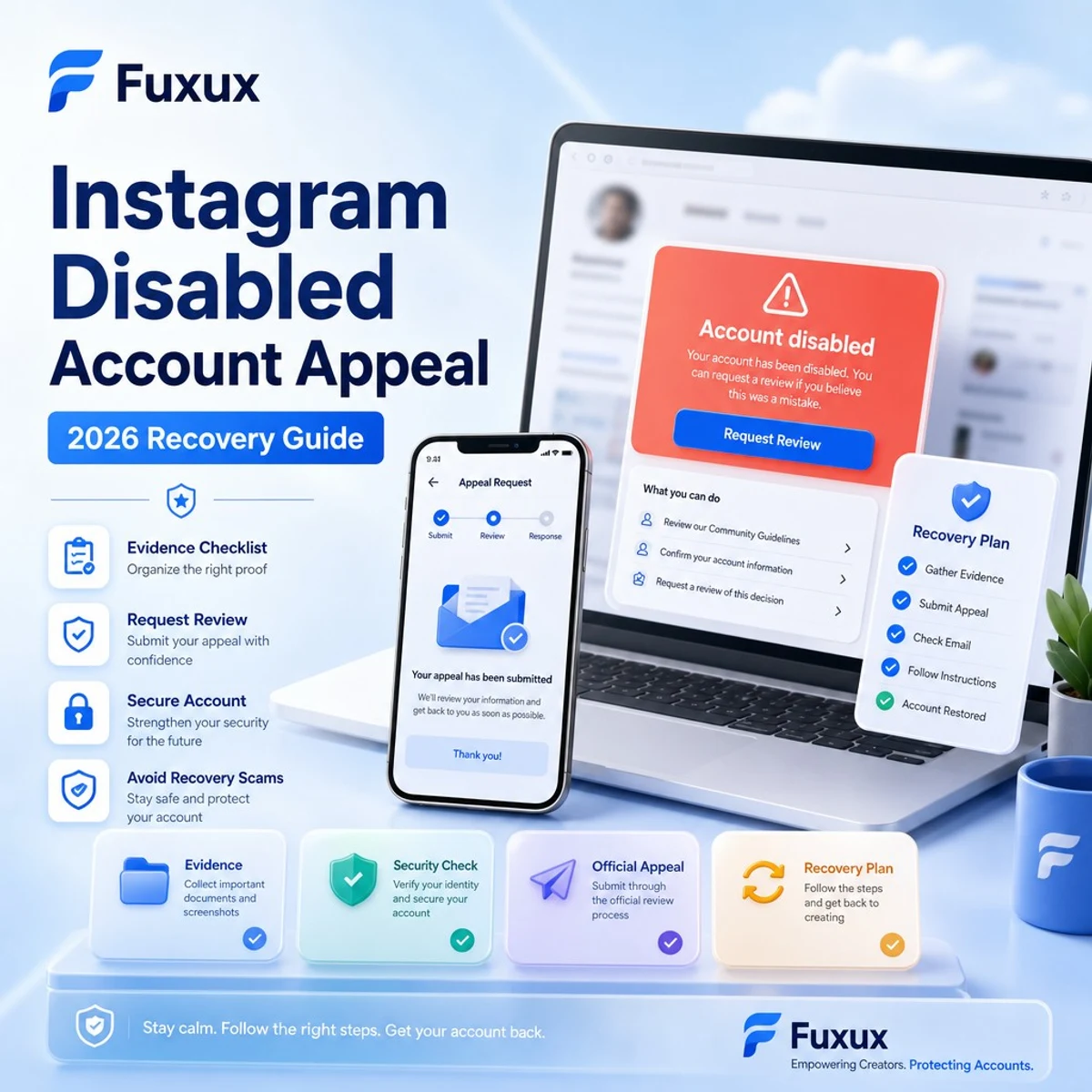
Quick answer: how to appeal a disabled Instagram account
Start with the message Instagram shows when you try to log in. If the app offers an appeal, request review from that screen first. If you received an email from Instagram or Meta, use the link inside that official message. If the account was hacked before it was disabled, use Instagram's hacked account recovery flow before sending policy arguments.
- Try logging in from the Instagram app and read the exact disable reason.
- Take screenshots of the warning, email notices, and any recent suspicious activity.
- Use only official Instagram or Meta forms and in-app appeal screens.
- Write a short appeal that explains who owns the account, what happened, and what you corrected.
- Wait for the review result before submitting duplicate appeals.
Meta's official help center is the safest place to begin. Review Instagram's guidance on disabled Instagram accounts and the Instagram Community Guidelines before writing the appeal.
First identify what kind of account problem you have
Not every login failure is a disabled account. The right fix depends on the account state.
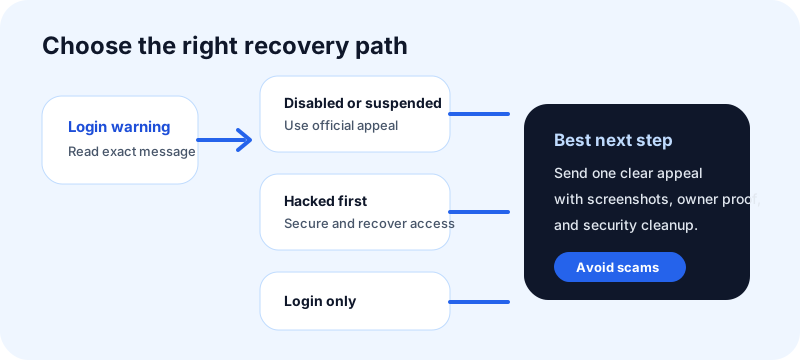
Disabled for guideline or terms issues
This is the classic disable case. Instagram says the account does not follow rules or has been disabled. You need an appeal or review request, not password reset alone.
Suspended pending review
Some accounts are put into a temporary review state. The app may ask you to confirm identity, submit a selfie video, verify email or phone, or wait for a decision. Complete only the steps shown inside official Instagram surfaces.
Hacked or compromised before disable
If someone gained access and posted spam, changed details, or violated rules, your appeal should say the account was compromised and include recovery proof. Use Instagram's hacked account recovery page if you cannot regain access.
Login or two-factor issue
If the account is not disabled but you cannot pass two-factor authentication, recovery codes, email access, or phone verification are the real issue. Do not frame this as a policy appeal.
Common reasons Instagram disables accounts
Instagram does not always provide a detailed explanation, but most disables fall into a few broad categories. Understanding the likely reason helps you write a cleaner appeal.
Automation and suspicious activity
Rapid follows, unfollows, likes, comments, DMs, scraping tools, engagement bots, and unofficial growth apps can trigger restrictions. If you used automation, remove it before appealing.
Impersonation or misleading identity
Accounts that pretend to be another person, brand, platform team, or public figure can be disabled. If your account is a legitimate brand, use consistent website, email, and profile proof.
Spam, scams, or repetitive promotion
Repeated comments, copied captions, misleading giveaways, fake investment claims, and mass DMs can look like spam even if the original intention was marketing.
Intellectual property complaints
Repeated copyright or trademark reports can put an account at risk. If the disable relates to IP, gather licenses, permissions, takedown emails, and proof that disputed content was yours or removed.
Content safety violations
Hate, harassment, adult content, regulated goods, violence, self-harm, and other safety issues can lead to removal or disable. Read the policy category carefully before appealing.
What to do before you submit the appeal
Spend 15 minutes preparing. A rushed appeal often misses the detail that would help a reviewer understand the account.
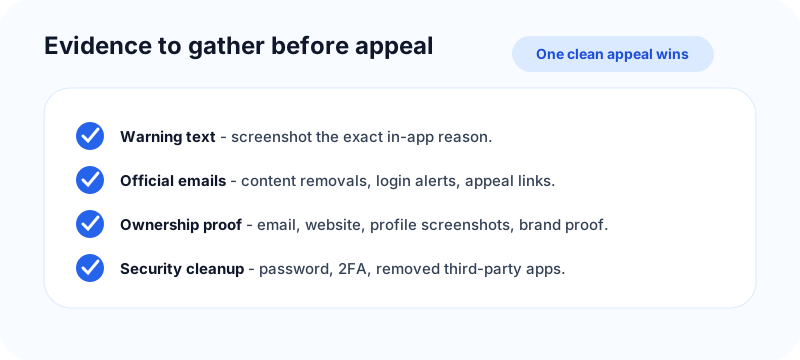
Save the warning text
Screenshot the exact message shown in the app or browser. The wording can tell you whether the issue is policy, identity, security, age, IP, or login access.
Check official email notices
Search your email for messages from Instagram or Meta. Look for content removals, appeal options, copyright reports, login alerts, password changes, and security warnings.
Remove third-party risks
Disconnect unofficial growth tools, browser extensions, scraping services, automation tools, and old apps that still have access. If you recover the account but leave the risky tool connected, the problem can return.
Collect ownership proof
Useful proof can include the account username, linked email or phone, screenshots from Meta Account Center, previous posts, website links to the profile, brand email, invoice/license proof for content, or a clear explanation of hacked activity.
How to write the appeal
The appeal should be short, honest, and specific. Do not insult reviewers, threaten legal action, spam multiple forms, or claim you did nothing wrong if you are not sure.
Use this structure
- Identity: state the username and who owns the account.
- Context: explain what happened in one or two sentences.
- Correction: mention what you changed, removed, secured, or disconnected.
- Request: ask for a manual review and restoration if the disable was a mistake.
Sample appeal for a mistaken disable
Hello Instagram team, my account @examplehandle appears to have been disabled by mistake. I use this account for original creator content and I try to follow Instagram's Community Guidelines. I have reviewed the guidelines, secured my email and phone, and removed any third-party app access that could have caused suspicious activity. Please review the account manually and restore it if it is eligible. Thank you.
Sample appeal after a hacked account
Hello Instagram team, my account @examplehandle was accessed without permission before it was disabled. I noticed suspicious login activity and content/actions that I did not perform. I have changed passwords, secured my email, enabled two-factor authentication, and removed unknown app access. Please review the account as a compromised-account case and restore it if possible.
What not to do during an appeal
Most bad advice around disabled accounts comes from desperation. Avoid anything that makes the account look less trustworthy.
Do not pay recovery scammers
No outside person can guarantee restoration. Many recovery accounts ask for money, identity documents, or login codes, then disappear or steal the account. Use official Meta and Instagram channels only.
Do not submit twenty appeals in one day
Duplicate appeals can create noise. If the app says review is pending, wait. If you have new evidence, send it through the proper path instead of repeating the same message.
Do not create ban-evasion accounts
Creating new accounts to evade enforcement can make recovery harder. If you need a temporary communication channel, keep it clearly separate and do not use it to harass reviewers or reporters.
Do not fake documents or ownership
False identity proof can create a bigger trust problem. If you do not have a formal business entity yet, explain account ownership honestly and use the proof you do have.
How long does an Instagram disabled account appeal take?
There is no reliable public timeline. Some reviews resolve quickly; others take days or weeks. Complex cases involving hacked activity, IP disputes, identity checks, or repeated violations can take longer.
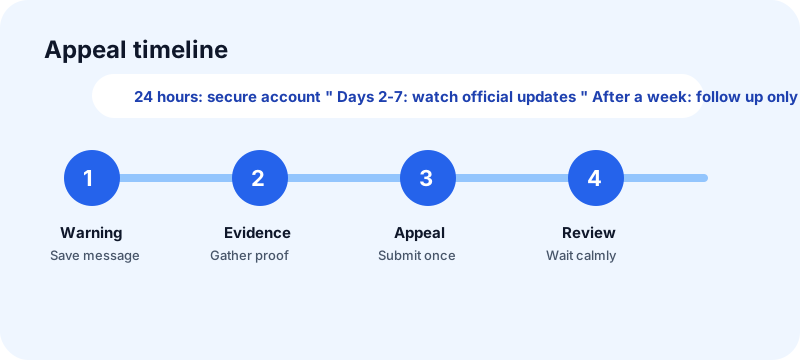
First 24 hours
Complete the official review request, secure email and phone access, save screenshots, and stop all automation. Do not keep changing the account from multiple devices.
Days 2-7
Watch for official emails and in-app updates. If you regain access, immediately review security settings, connected apps, admin roles, and recent content.
After a week
If there is no response and the app allows another appeal with new information, send a concise follow-up. Add only new evidence or a clearer explanation.
What to do if the appeal is denied
A denial does not always mean every path is closed, but it does mean you should avoid repeating the same weak appeal.
Review the likely policy category
Compare the disable notice with Instagram's rules. If the issue is impersonation, IP, or account compromise, your next appeal should focus on that exact category.
Use rights-owner channels only when relevant
If the problem is copyright or trademark, use the official IP path only if you have legitimate rights or permission. Do not misuse legal forms to speed up a normal appeal.
Plan a clean fallback account
If recovery fails, rebuild carefully. Use a clear bio, original content, no automation, secure two-factor authentication, and consistent handles. The free Instagram handle checker can help you choose a cleaner backup handle if you need one.
How to reduce the risk of another disable
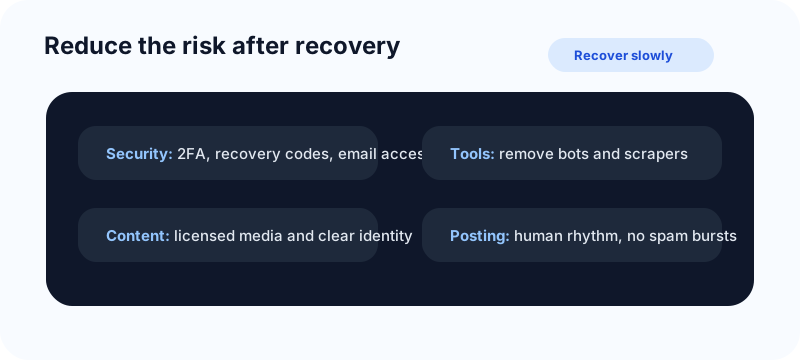
- Enable two-factor authentication and save recovery codes somewhere private.
- Use a dedicated email address that only trusted admins can access.
- Remove unofficial automation, scraping, and engagement tools.
- Keep captions and comments human, varied, and relevant.
- Use licensed media and keep proof for photos, music, and templates.
- Avoid aggressive follow/unfollow and repeated DM campaigns.
- Keep your profile identity clear so it does not look like impersonation.
If your account is part of a launch, do not reconnect every tool and schedule a large batch immediately after recovery. Use the free social media growth guide to rebuild a slower posting rhythm, and read the Fuxux guide on why you cannot post on Facebook if Meta permissions or Page access also affect your workflow.
Free tools and related guides for a safer comeback
After an Instagram account disable, the safest move is to rebuild trust slowly instead of rushing into the same posting pattern. These free resources can help you plan the comeback without looking like a new spam account.
- Instagram handle checker: validate backup usernames and avoid confusing handles before you rebuild.
- Social media growth guide: plan a calmer 30-day posting rhythm after recovery.
- Instagram grid maker: prepare clean launch visuals if you need to refresh the profile after restoration.
- Instagram carousel splitter: turn a long update or FAQ into clear swipeable slides instead of repeating the same caption.
For the next content plan, pair this recovery guide with Instagram post vs Story vs Reel so every update has a purpose, and use the long Instagram video guide if your comeback content includes tutorials, product demos, or a founder explanation.
Frequently asked questions
Can a disabled Instagram account be recovered?
Yes, some disabled accounts are restored after review, especially when the disable was a mistake or the account was compromised. Recovery is not guaranteed, and serious or repeated violations are harder to reverse.
Should I use a paid Instagram recovery service?
No. Most recovery services are scams or risky intermediaries. Use official Instagram and Meta channels, secure your email, and never share login codes with strangers.
What if my business account was disabled?
Use the same appeal process, but include business context: website, official email, Page connection, Meta Business Suite access, and proof that the account represents your brand. Formal business documents may help when Meta specifically asks for them.
Can I appeal if I used automation?
You can appeal, but be honest. Disconnect the tool, explain that you removed third-party access, and commit to manual or compliant workflows. Do not keep using the same automation while appealing.
Will creating a new account hurt my appeal?
It can if the new account looks like ban evasion or repeats the same behavior. If you need a backup presence, keep it clean, transparent, and separate from any disputed activity.
Final checklist before you appeal
- You know whether the issue is disabled, hacked, suspended, or login-related.
- You saved screenshots of the warning and official emails.
- You removed risky third-party tools and secured the account email.
- Your appeal is short, specific, and honest.
- You are using official Instagram or Meta channels only.
- You have a slower recovery plan if the account comes back.
A disabled account appeal is not a place for tricks. The strongest appeal is a clean explanation backed by ownership proof, security cleanup, and a calm request for review.
Publishing to Instagram regularly? See how scheduling works for Instagram.
About the author
I build Fuxux, a scheduler that publishes to 12 platforms from one queue. I write about the parts of posting that are actually fiddly — what each platform will and won't let you schedule natively, where the API limits bite, and how to keep a queue running without babysitting it.
Ready to post smarter?
Fuxux handles the scheduling, the formatting, and the AI captions — so you can focus on ideas.
Start free — no credit card