Instagram Comment Ideas: 2026 Engagement Guide
Use Instagram comment ideas that drive real replies without looking spammy: questions, value-add comments, UGC replies, pinned context, CTAs.

Disclosure: Independent guide from Fuxux. We are not affiliated with the platforms or third-party tools mentioned in this article. Product names belong to their owners.
Good Instagram comments do not sound like a brand trying to farm replies. They sound like a person who noticed the post, understood the context, and had one useful thing to add.
That is the difference this guide focuses on. You will get practical Instagram comment ideas, but more importantly, you will get a system for choosing the right comment type without becoming repetitive, spammy, or weirdly promotional.
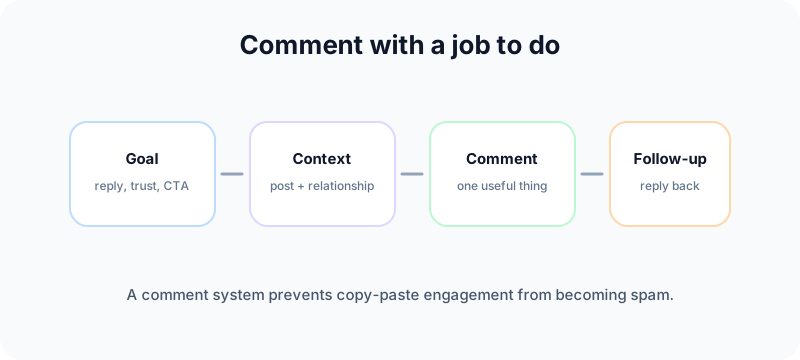
Start with a comment strategy, not a comment list
A comment can do several jobs: start a reply thread, support a creator, answer a question, show expertise, thank a customer, add a missing detail, or guide people to the next step. If you use the same comment style for every job, the account starts to look automated.
Instagram's Community Guidelines explicitly warn against spam, including repetitive comments or content, artificially collecting engagement, and repeatedly contacting people for commercial purposes without consent. See Instagram's official Community Guidelines. That is why a healthy commenting plan should value relevance over volume.
Before writing, ask three questions:
- What is the post asking for: support, discussion, feedback, proof, or action?
- What is the relationship: owned post, customer post, partner post, creator post, or cold public thread?
- What is the safest useful comment: question, detail, story, answer, credit, or CTA?
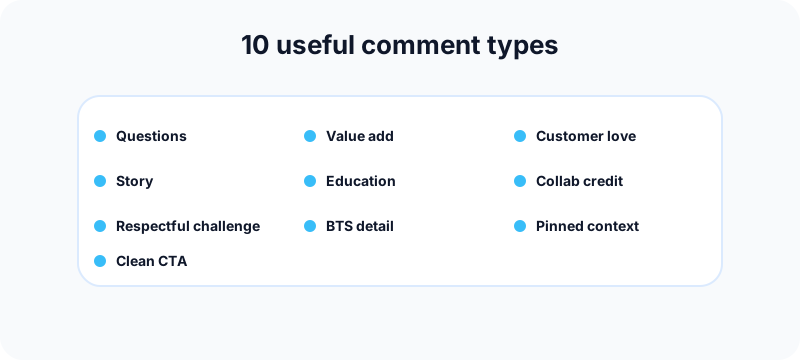
10 Instagram comment ideas that do not feel spammy
Use these as formats, not scripts. A format gives you direction. A script copied across posts creates risk.
1. The specific question
Ask a question people can answer quickly. Weak: "Thoughts?" Stronger: "Would you test this on Reels first or turn it into a carousel?" The second version gives people a choice and creates better replies.
Use it under product reveals, design drafts, educational carousels, opinion posts, and trend breakdowns. Avoid using it when the post is sensitive or personal; not every thread needs your prompt.
2. The useful first comment
This comment adds one practical layer the post did not cover. Example: "This works best when the CTA matches the post goal. Discovery posts need curiosity. Conversion posts need specifics."
This works well for consultants, agencies, educators, founders, coaches, and creators who want to demonstrate judgment without pitching.
3. The short personal story
Use this when the post is about a lived problem: burnout, early business mistakes, confidence, consistency, parenting, fitness, creativity, or recovery. Keep it brief.
Example: "I learned this the hard way. I kept changing the hook when the real issue was the offer. Once the promise got clearer, the content started working."
4. The customer appreciation comment
When a customer tags your brand, do not reply with a generic thank-you and disappear. Mention the detail you noticed.
Example: "The way you styled the setup makes the whole desk feel calmer. That cable cleanup is doing a lot of work."
This makes customers feel seen and increases the chance they post about you again.
5. The educational mini-fix
Teach one small thing. Do not write a second caption.
Example: "Small fix for flat product photos: move the item closer to window light, turn off warm room lights, then lower exposure slightly after shooting."
This comment type has a longer shelf life because people can save, reply, or visit your profile later.
6. The respectful disagreement
Contrarian comments can work, but only when they improve the conversation. Challenge the idea, not the person.
Example: "I would separate reach from strategy here. A tactic can increase views and still be wrong for conversion."
Use this sparingly. It fits experts with a clear point of view. It is risky for new brand accounts with no context.
7. The collaboration credit
Tag someone only when the reason is obvious to a reader. Good collaboration comments give credit, bring in a relevant expert, or point to a real partner.
Example: "The lighting direction from @example made this campaign feel much more premium." Replace the placeholder with the real contributor only when the relationship is clear.
8. The behind-the-scenes detail
Reveal one decision, constraint, or correction behind a polished post.
Example: "We cut the original intro because it looked pretty but did not explain the offer fast enough."
This works well for founders, agencies, studios, educators, and product teams because it shows real process.
9. The pinned context comment
On your own post, pin a comment that gives the thread a job. Pin the question if you want replies. Pin the clarification if people may misunderstand. Pin the CTA only when it genuinely helps.
Example: "If you are testing this, start with the second slide. That is the part most teams skip."
10. The clean CTA comment
Use CTA comments only when the post has earned the next step. A clean CTA names the resource and why it matters.
Weak: "Link in bio."
Stronger: "The checklist from this Reel is linked in our bio if you want the step-by-step version."
Do not put a CTA under every post. Repetition trains people to ignore you.
Comment types by goal
| Goal | Best comment type | Avoid |
|---|---|---|
| More replies | Specific question or pinned prompt | Generic "thoughts?" comments |
| Authority | Useful first comment or educational mini-fix | Overlong lectures |
| Community trust | Customer appreciation or short story | Copy-paste praise |
| Partnerships | Collaboration credit | Random tag lists |
| Conversion | Clean CTA on owned posts | Repeated promotional replies |
How to write comments faster without sounding automated
Speed matters on active posts, but speed without judgment looks like bot behavior. The answer is not to automate every comment. The answer is to prepare reusable angles that still need a human edit.
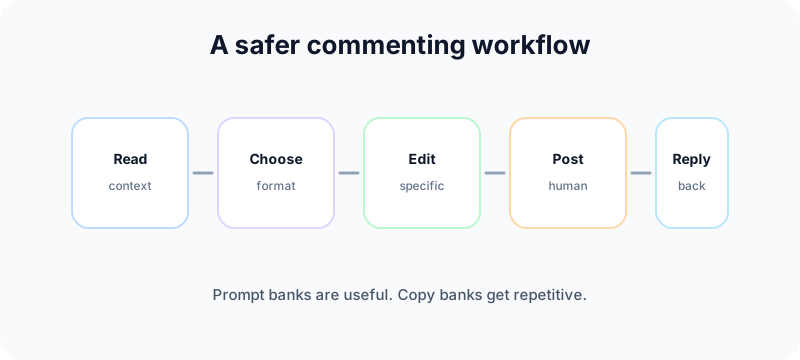
Build a prompt bank, not a copy bank
A copy bank stores exact comments. That gets repetitive fast. A prompt bank stores starting points: "ask a two-option question," "add one practical constraint," "thank the customer for a specific detail," or "pin a clarification."
Assign comment types by account role
Your founder account can leave opinionated comments. Your brand account may be better for customer appreciation and support. Your agency account can use educational comments. Match the format to the account people see.
Track conversations, not just comment count
A comment that earns three real replies can be more valuable than ten generic reactions. Track replies, profile visits, DMs, saves, and whether the thread created a useful relationship.
Free tools for better Instagram commenting
Use free tools to make the content around your comments stronger.
- Social media growth guide: plan a comment rhythm that supports growth without posting repetitive replies.
- Instagram grid maker: preview campaign visuals so your pinned comments and CTAs match the post theme.
- Instagram carousel splitter: turn educational ideas into carousel posts that invite better comment threads.
- Instagram handle checker: check account names before building a brand voice around a handle.
- TikTok caption generator: repurpose a comment-worthy idea into short-form hooks for another platform.
- LinkedIn text formatter: adapt a useful Instagram thread into a clearer professional post.
Internal links that make comment strategy stronger
Comments perform better when they connect to the format and account setup behind the post. If you are still deciding where a topic belongs, use the guide to Instagram posts vs Stories vs Reels so the comment prompt matches the content surface.
If the account is moving from personal posting to a business workflow, read how to change Instagram to a business account before relying on Insights, contact buttons, or scheduling permissions. If the same content should appear on Facebook, use the Instagram to Facebook setup guide so cross-posting and Page access are clean.
For brand consistency, pair the comment plan with a recognizable look. The social media aesthetic guide helps define tone and visuals, while the Instagram grid maker and carousel splitter help create posts that invite better replies.
What not to do in Instagram comments
Instagram comments can help growth, but they can also make an account look low quality if handled badly.
Do not repeat the same phrase everywhere
Repeated comments are one of the easiest spam patterns to spot. If the same sentence could sit under ten unrelated posts, rewrite it.
Do not tag random people for reach
Tagging should add context. If the tagged account has no clear reason to be in the thread, it looks like attention-seeking.
Do not turn every comment into a pitch
Promotional comments belong on posts where the next step is obvious and useful. Most threads need context or conversation first.
Do not hijack sensitive posts
A vulnerable creator update, complaint, grief post, or crisis thread is not the place for contrarian takes or branded jokes.
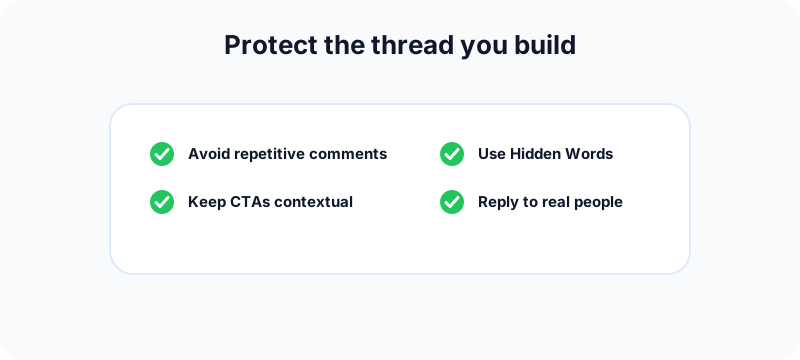
Moderation: protect the comment section you build
If comments are part of your growth strategy, moderation is part of the strategy too. Instagram lets users hide unwanted comments through Hidden Words and custom words or phrases. Its help page on hiding comments and message requests explains automatic hiding, advanced comment filtering, and custom word lists.
Instagram also lets account owners turn comments on or off for individual posts, including before sharing a post. Use that when a post is likely to attract low-quality replies or needs a cleaner announcement format.
A weekly commenting workflow for teams
- Choose two or three comment formats for the week.
- Map each format to owned posts, customer posts, partner posts, or creator posts.
- Write prompt starters, not final copy.
- Assign who replies and who approves sensitive comments.
- Leave comments with one specific observation per post.
- Return later to answer replies and keep useful threads alive.
- Review which formats led to real conversations.
If Instagram is part of a broader workflow, read our guide to Instagram posts vs Stories vs Reels so your comment strategy matches the format. If the account is still personal, switch it properly with our guide on changing Instagram to a business account.
Frequently asked questions
What is a good Instagram comment?
A good comment is specific to the post, easy to reply to, and aligned with the relationship. It adds detail, asks a clear question, gives credit, or helps the reader.
Are emoji comments bad?
No, but they are limited. They can work for fast reaction posts, casual brands, and warm creator support. They do not build much authority by themselves.
Should brands comment on customer posts?
Yes, when the comment is specific and respectful. Mention the detail you noticed before asking for rights, repost permission, or a purchase action.
Can comments help Instagram engagement?
They can help when they start real replies, deepen the thread, or send profile visits from relevant people. Generic comments rarely create meaningful engagement.
How many comments should a brand leave per day?
There is no universal number. A safer rule is to comment only where you can be specific. Quality, spacing, and relevance matter more than daily volume.
Can repeated comments hurt an account?
Yes. Instagram warns against spammy behavior such as repetitive comments or content. Avoid copy-paste engagement tactics and repeated commercial outreach.
Bottom line
The best Instagram comment ideas are not clever one-liners. They are repeatable comment types chosen with judgment: ask a specific question, add one useful detail, thank customers properly, credit collaborators, teach one small fix, and use CTAs only when they help.
Build a prompt bank, keep the comments human, and measure whether people actually reply. That is how commenting becomes a growth habit instead of a spam pattern.
Publishing to Instagram regularly? See how scheduling works for Instagram.
About the author
I build Fuxux, a scheduler that publishes to 12 platforms from one queue. I write about the parts of posting that are actually fiddly — what each platform will and won't let you schedule natively, where the API limits bite, and how to keep a queue running without babysitting it.
Ready to post smarter?
Fuxux handles the scheduling, the formatting, and the AI captions — so you can focus on ideas.
Start free — no credit card