Social Media Launch Checklist for New Products
A complete social media launch checklist for creators and founders: pre-launch prep, Product Hunt steps, directory listings, platform posts, scheduling.

Disclosure: Independent guide from Fuxux. We are not affiliated with the platforms or third-party tools mentioned in this article. Product names belong to their owners.
A social media launch checklist is what keeps a Product Hunt drop, directory submission, or new feature release from turning into a rushed tab marathon. You do not need a 40-page playbook. You need a short list that covers messaging, assets, platform versions, publishing timing, and the follow-up work that actually drives signups.
This checklist is built for creators, founders, and small teams launching a product, free tool, or major update. It works whether you are posting on X, LinkedIn, Instagram, TikTok, and YouTube yourself, or scheduling everything from one queue. Use it before Product Hunt, Indie Hackers, SaaS directories, or your own site launch.
Quick answer: before launch day, lock your one-line pitch, prepare platform-specific posts, queue 3–7 pieces of supporting content, verify links and bios, schedule your announcement window, and plan a 48-hour reply block. Pair this with a content calendar and a approval workflow so launch posts do not ship with broken CTAs.
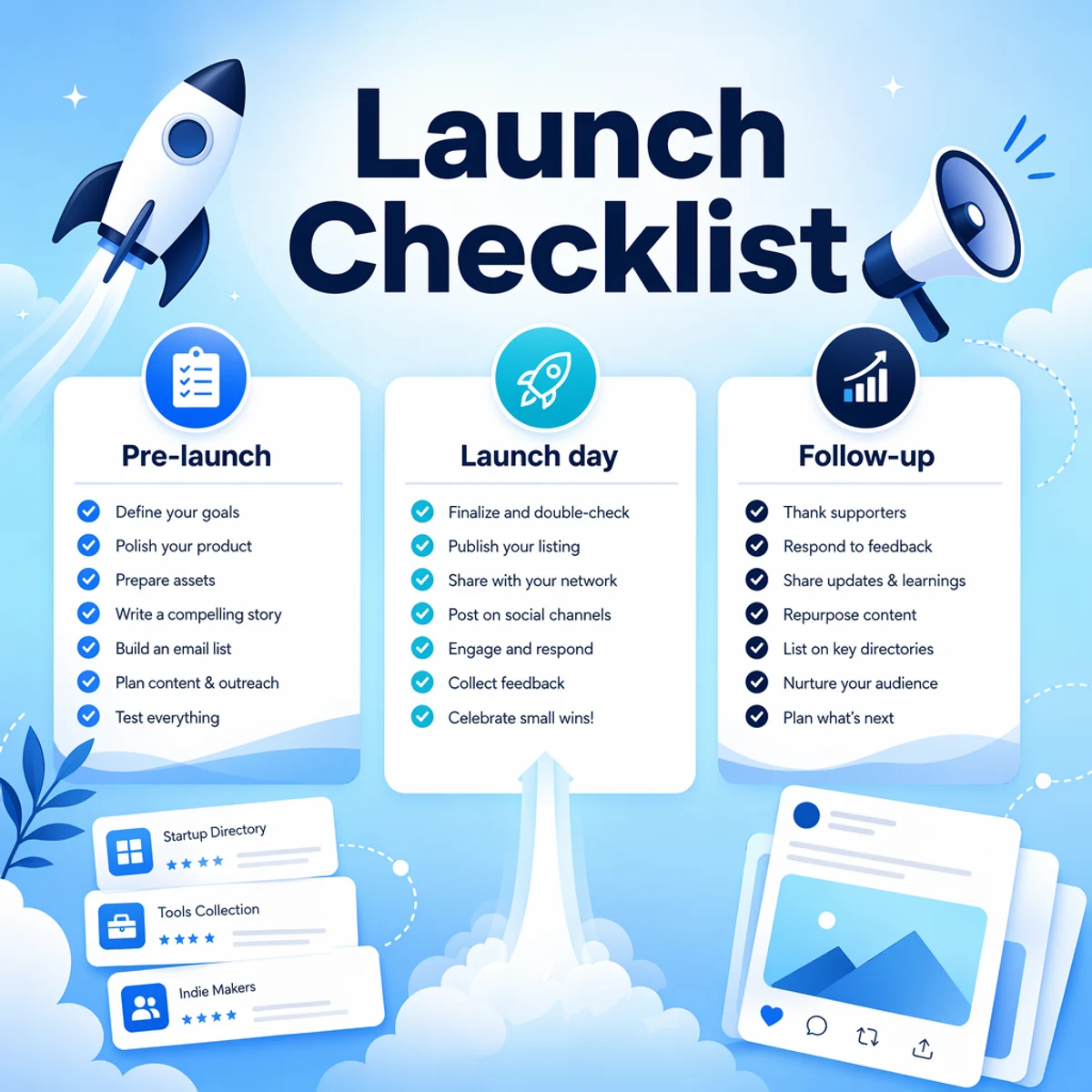
What a social media launch checklist covers
A launch checklist is not a content strategy. It is the operational layer that makes sure the right message hits the right surfaces at the right time.
At minimum, your checklist should cover:
- One clear pitch and CTA
- Platform-specific post versions
- Visual assets sized for each network
- Bio and link updates
- Scheduled announcement posts
- Reply and engagement plan for launch day
- Directory and community posts that support the launch
If you are still building the weekly system behind launches, start with how to schedule social media posts and social media best practices.
Pre-launch checklist (7–14 days before)
Most launch mistakes happen before anyone clicks publish. Use this pre-launch block first.
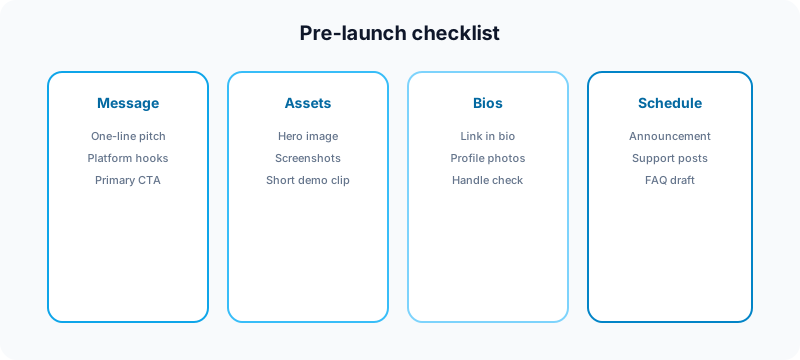
1. Lock the message
- Write one sentence: who it is for, what it does, why now.
- Write a 120-character hook for X and short-form video.
- Write a 2–3 sentence LinkedIn version with a concrete use case.
- Choose one primary CTA: sign up, try free tool, read launch post, or join waitlist.
2. Audit your owned surfaces
- Homepage headline matches the launch angle.
- Pricing, trial, and signup flows work on mobile.
- Bio links point to the right landing page.
- Profile photos and banners look current on every active network.
- Handles are consistent where possible. Use Instagram handle checker or TikTok username checker if you are rebranding.
3. Prepare launch assets
- One hero image or short demo clip.
- 2–3 product screenshots with readable UI text.
- One carousel or thread outline if LinkedIn or Instagram is in the mix.
- One short vertical clip for Reels, TikTok, or Shorts if video is part of the launch.
4. Build your directory and community list
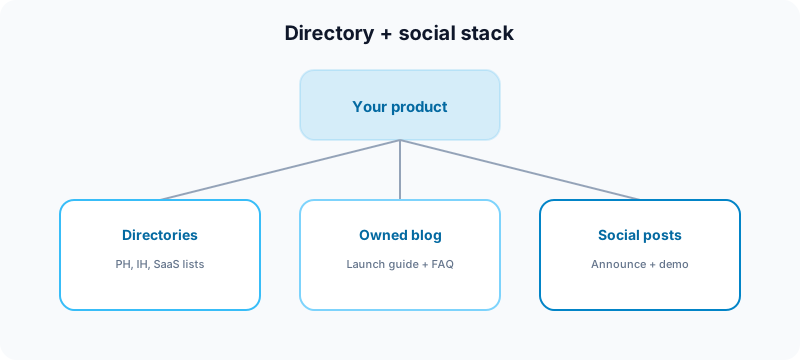
If you are launching a SaaS product or tool, social posts work better when they point to live proof elsewhere. Common supporting placements include:
- Product Hunt
- Indie Hackers product page and launch post
- SaaS directories and comparison sites
- Relevant subreddits or founder communities
- Your own blog launch post
Do not spam every directory in one day. Pick the highest-fit placements, prepare unique descriptions for each, and note which links are nofollow versus do-follow so expectations stay realistic.
5. Queue supporting content
Launches fail when everything depends on one announcement post. Schedule a small support pack:
- Launch announcement
- Founder story or build-in-public post
- Feature breakdown carousel or thread
- FAQ post addressing the top three objections
- One customer-use or workflow example
Map these on your content calendar so launch week does not cannibalize your normal cadence completely.
Launch week checklist (48 hours before to launch day)
6. Adapt every post per platform
Do not paste the same caption everywhere. At minimum, change:
- Hook length and tone
- Hashtag or tag strategy
- CTA placement
- Image crop or aspect ratio
- Link style and preview behavior
For cross-posting rules, read how to cross-post to multiple platforms. For AI-assisted drafts, use AI caption writing for social media as a starting point, then edit manually.
7. Run a final approval pass
Before anything goes live, check:
- Links open the correct page, not staging or a 404.
- Claims match the actual product.
- Visuals show the current UI, not an old mockup.
- Discounts, trial terms, and availability are accurate.
- Spelling, handles, and UTM tags are correct.
Use the full process in our social media approval workflow if multiple people touch the launch.

8. Schedule the announcement window
Pick one primary launch window and one backup slot. For many B2B and creator SaaS launches:
- LinkedIn: weekday morning in your audience time zone
- X: morning plus one follow-up thread later the same day
- Instagram/TikTok: short demo or founder clip, not just a static promo
- YouTube Shorts: clear title and hook in the first line
If you are unsure about cadence, use how often you should post on social media in 2026 as your baseline, then add extra launch posts only for launch week.
Launch day checklist
9. Publish in the right order
- Confirm the landing page and signup flow are live.
- Publish or activate your directory listing if that is part of the launch.
- Post the primary social announcement.
- Share supporting posts over the next 6–12 hours, not all at once.
- Reply to comments, DMs, and community threads quickly.
10. Block time for engagement
The first two hours matter more than the tenth post. Put a 48-hour reply block on your calendar. Thank people, answer objections, fix confusion, and capture feature requests. Launches look stronger when the founder is visibly present.
11. Pin the best-performing post
On networks that support pinned posts, pin your clearest launch message for 7–14 days. Replace it when the next major milestone lands.
Post-launch checklist (days 2–14)
12. Repurpose what worked
- Turn the launch thread into a carousel.
- Clip the demo into Shorts or Reels.
- Rewrite the strongest comment objection into a follow-up post.
- Publish a "what we learned from launch week" recap.
13. Measure the right things
Do not judge launch week only by likes. Track:
- Profile visits and link clicks
- Signups or trial starts
- Reply quality and recurring questions
- Which platform drove the best-fit traffic
- Which supporting post earned saves or shares

14. Fix what confused people
If multiple people ask the same question, that is content telling you what to publish next:
- Update the homepage FAQ.
- Publish a clearer demo post.
- Add a comparison post if people are evaluating alternatives.
- Improve onboarding if signups stall after click.
Directory and Product Hunt launch checklist
Social posts and directory launches work best together when each asset has a job.
| Asset | What to prepare | Why it matters |
|---|---|---|
| Product Hunt | Tagline, 3+ gallery images, maker comment, launch-day replies | High-visibility launch surface for tech audiences |
| Indie Hackers | Product page, launch post, revenue field, public visibility | Founder community and long-lived product URL |
| SaaS directories | Description, categories, pricing, screenshots, Q&A | Discovery, comparisons, and long-tail search presence |
| Your blog | Launch guide, comparison, or use-case post | Owned content you can link to from every platform |
| Social posts | Announcement, demo, FAQ, founder story | Drives immediate traffic and conversation |
Keep claims aligned across all of them. If your social post says a feature is live, the directory listing and landing page must say the same thing.
Common launch mistakes
Announcing before the product is ready
Traffic spikes are wasted if signup, billing, onboarding, or a core integration breaks under real use.
One generic post on every platform
Same caption everywhere looks automated and reduces trust. Adapt the idea, not just the schedule.
No follow-up content
One announcement post rarely carries a full launch. Plan at least three supporting posts.
Ignoring replies
Algorithms and audiences both reward presence. Schedule the posts, then show up.
Treating directories as magic SEO
Directory links can help discovery, but many are nofollow or slow to index. They work best as part of a broader launch system, not the whole strategy.
Free tools to use before launch week
| Task | Tool | Why use it |
|---|---|---|
| Plan launch week | Growth guide | Map rhythm, pillars, and posting mix. |
| Draft TikTok copy | TikTok caption generator | Start with hook-first launch captions. |
| Format LinkedIn launch post | LinkedIn text formatter | Improve scanability before posting. |
| Check YouTube title | YouTube title checker | Avoid truncation on demo or launch videos. |
| Prep Instagram campaign visual | Instagram grid maker | Launch a profile-level visual cleanly. |
SEO and spam safety for launch posts
Launch week is not an excuse to spam the same link across 30 communities. Google's guidance on helpful content applies to your blog and landing pages. On social platforms, avoid:
- Identical copy on every network
- Misleading urgency or scarcity claims
- Comment spam with bare links
- Fake urgency or inflated results
For paid partnerships or sponsorships during launch, follow the FTC's social media disclosure guidance.
Where Fuxux fits
Fuxux helps founders and creators launch with less chaos: plan on a calendar, draft once, adapt captions per platform, review before publish, and schedule across the networks you actually use. That is especially useful during launch week when you need consistency without living in six apps.
For tool selection, compare best social media scheduling tools for creators or best social media scheduler for creators.
FAQ: social media launch checklist
How early should you start a social media launch?
Start messaging and asset prep 7–14 days before launch. Schedule posts 2–3 days ahead, then keep room for reactive updates on launch day.
How many posts should you publish during launch week?
A solid default is one primary announcement plus 3–5 supporting posts spread across the week. Add more only if you can still reply thoughtfully.
Should Product Hunt and social posts go live at the same time?
Usually yes on launch day, but prepare assets for both separately. Your Product Hunt gallery, maker comment, and social captions should match while fitting each platform.
What is the most important launch day task?
Replying to comments and fixing confusion fast. Scheduled posts start the launch; engagement finishes it.
Do directory launches replace social media promotion?
No. Directories help discovery and credibility. Social posts drive immediate traffic, conversation, and momentum. Use both.
Bottom line
A social media launch checklist should make launch week calmer, not heavier. Lock the message, prepare platform versions, schedule support content, verify links, show up for replies, and repurpose what works after day one.
Launch once with intention, then iterate in public for the next two weeks. That is how a single announcement turns into sustained signups instead of a one-day spike.
About the author
I build Fuxux, a scheduler that publishes to nine platforms from one queue. I write about the parts of posting that are actually fiddly — what each platform will and won't let you schedule natively, where the API limits bite, and how to keep a queue running without babysitting it.
Ready to post smarter?
Fuxux handles the scheduling, the formatting, and the AI captions — so you can focus on ideas.
Start free — no credit card