When Does YouTube Start Paying You? (2026)
When does YouTube start paying you? 1,000 subscribers, YPP review, AdSense setup, the $100 threshold, and how long your first payout really takes in 2026.

Disclosure: Independent guide from Fuxux. We are not affiliated with the platforms or third-party tools mentioned in this article. Product names belong to their owners.
Updated June 12, 2026: Refreshed title and meta for clearer search intent. YPP thresholds are unchanged — confirm your country's rules in YouTube Studio. Added links to our YouTube title checker and social media automation tools guide for upload prep.
YouTube does not start paying you just because a video gets views. A channel has to qualify for the YouTube Partner Program, pass review, connect AdSense for YouTube, turn on monetization, earn enough money to cross the payment threshold, and then wait for the monthly payment cycle. That is why two creators can hit 1,000 subscribers on the same day and still receive their first payment at different times.
This guide explains when YouTube starts paying you in 2026, what subscriber and watch-time requirements matter, how the $100 payment threshold works, what slows down the first payout, and how to build a safer content workflow while you work toward monetization.
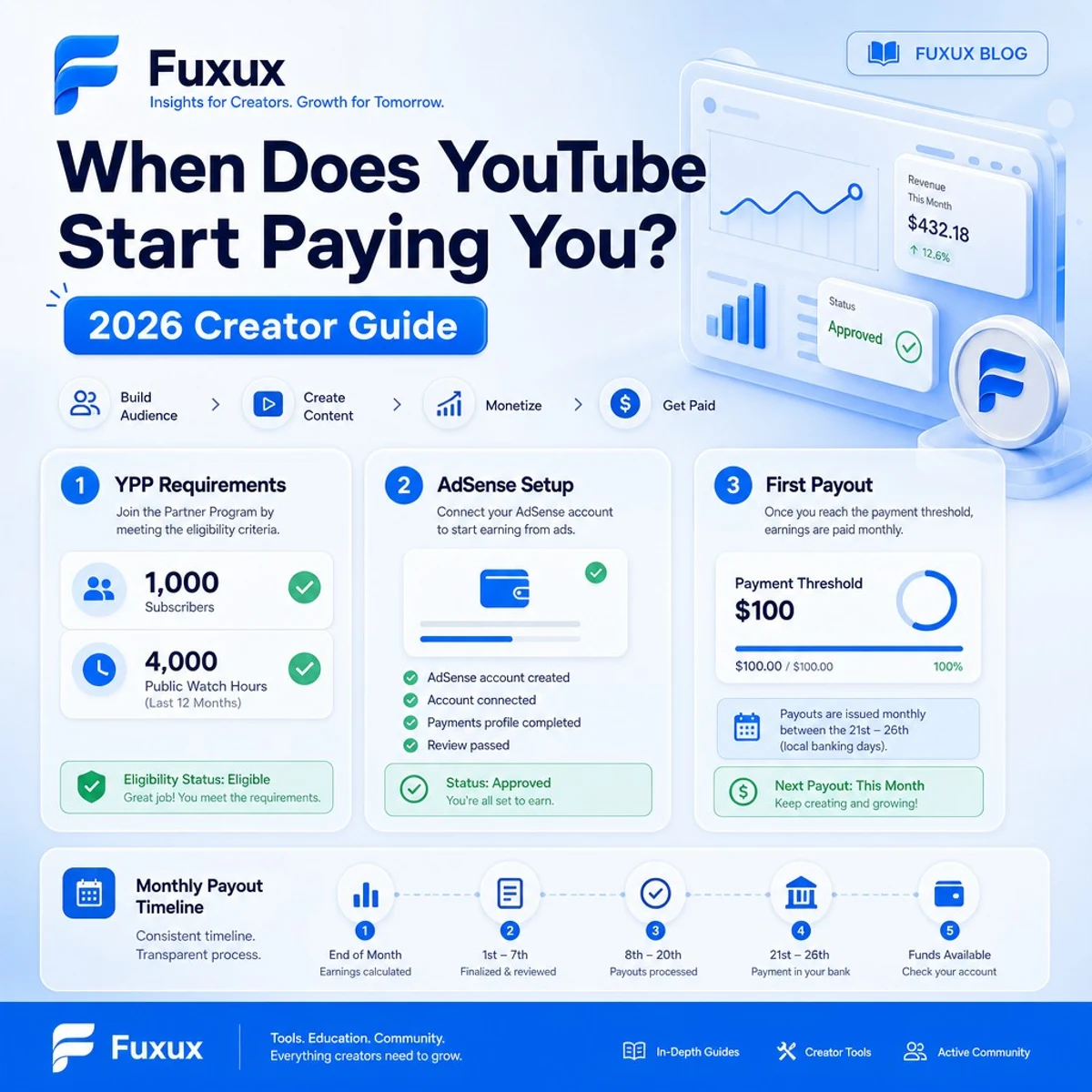
Quick answer: when does YouTube start paying you?
YouTube starts paying after your channel is accepted into the YouTube Partner Program, monetization is active, and your AdSense for YouTube balance reaches the payment threshold. In many regions, that threshold is $100 USD or the local currency equivalent. If you earn less than the threshold in one month, the balance rolls over until you reach it.
For most creators, the practical path looks like this:
- Build enough eligible audience signals to apply for YPP.
- Pass YouTube's channel review and policy checks.
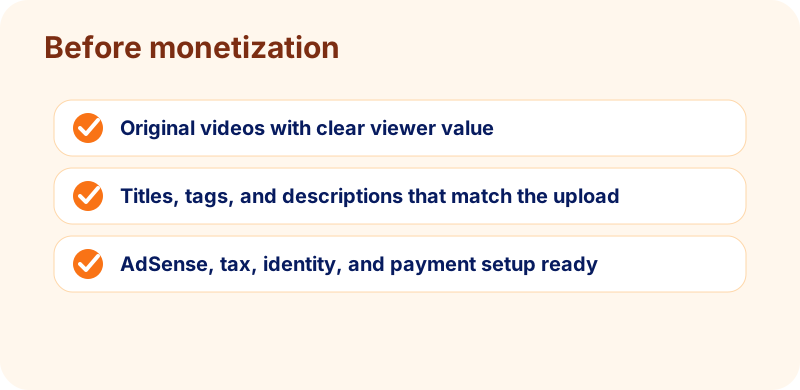
- Set up AdSense for YouTube, tax details, identity, and payment method.
- Turn on monetization for eligible videos.
- Earn enough finalized revenue to cross the payment threshold.
- Receive payment during the next AdSense payment cycle.
Always confirm the current rules inside YouTube Studio and the official YouTube Partner Program overview, because eligibility features can vary by country, channel type, and policy updates.
Why YouTube does not pay every channel automatically
The platform shares revenue with approved partners, not every uploader. A channel can be public, active, and growing without earning ad revenue yet. The review first checks whether the channel has enough audience, follows policies, and is suitable for monetization.
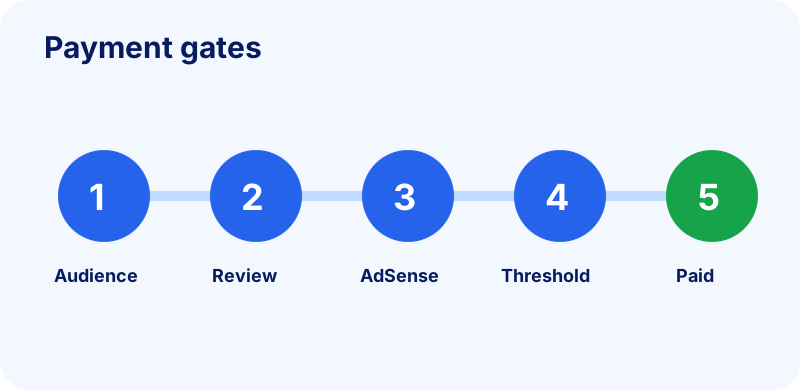
You need eligible audience signals
Subscribers, public watch hours, and Shorts views help reviewers measure whether the channel has a real audience. These numbers are not a promise of income; they are the gate before review.
You need policy approval
Channels are reviewed for originality, advertiser suitability, Community Guidelines, copyright risk, and monetization policy compliance. A channel with copied clips, reused compilations, misleading metadata, or risky topics can be rejected even if the numbers look strong.
You need payment setup
AdSense for YouTube handles payments. If tax information, identity checks, address verification, or payment method setup is incomplete, payout can be delayed even after the channel earns money.
YouTube monetization requirements in 2026
There are two important ideas: earlier access to some fan-funding features, and full monetization that includes ad revenue. Do not confuse them. A channel may unlock limited monetization features before it qualifies for full ad revenue sharing.
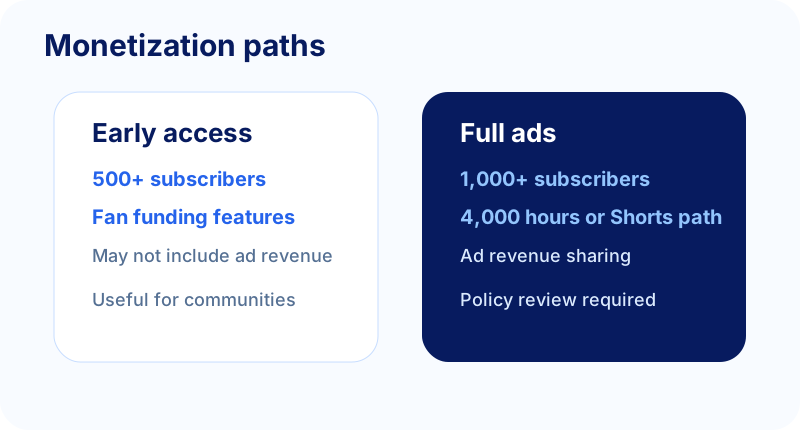
Full ad monetization path
The common full monetization benchmark is 1,000 subscribers plus either 4,000 valid public watch hours in the past 12 months or 10 million valid public Shorts views in the past 90 days. This is the path creators usually mean when they ask when ad revenue starts.
Earlier fan-funding access
Some channels may get earlier access to fan-funding features at lower thresholds, such as 500 subscribers plus recent uploads and either lower watch-hour or Shorts-view requirements. That can unlock features like memberships, Super Thanks, Super Chat, or Shopping where available, but it does not necessarily mean full ad revenue is active.
Other account requirements
Numbers are only part of the checklist. You also need to follow YouTube's monetization policies, avoid active Community Guidelines strikes, use 2-Step Verification, live in an eligible country or region, and connect AdSense for YouTube. Review the official YouTube channel monetization policies before building a channel around reused, synthetic, or templated content.
How the $100 payment threshold works
Getting accepted into YPP does not mean money reaches your bank immediately. Revenue has to be finalized, sent to AdSense for YouTube, and meet the payment threshold. In many regions the threshold is $100 USD or a local equivalent.
If you earn less than the threshold
Your balance rolls over. For example, if your finalized balance is $37 after the first month, you do not lose it. It stays in the account. If you earn another $81 the next month, the combined balance crosses $100 and can be eligible for payout in the following payment cycle.
If payment setup is incomplete
You may still see earnings accrue, but payment can be held until required setup is complete. This can include tax forms, identity verification, address verification, and a valid payment method. Google's official AdSense payment thresholds page explains the concept in more detail.
If earnings are invalid or adjusted
Estimated revenue can change before finalization. Invalid traffic, refunds, policy issues, or revenue adjustments can reduce the amount that actually counts toward payment. Do not budget from estimated analytics alone.
First YouTube payment timeline
The first payment can take longer than creators expect because several steps happen in sequence. A realistic timeline depends on how quickly your channel is reviewed, how quickly you earn past the threshold, and whether payment setup is complete.
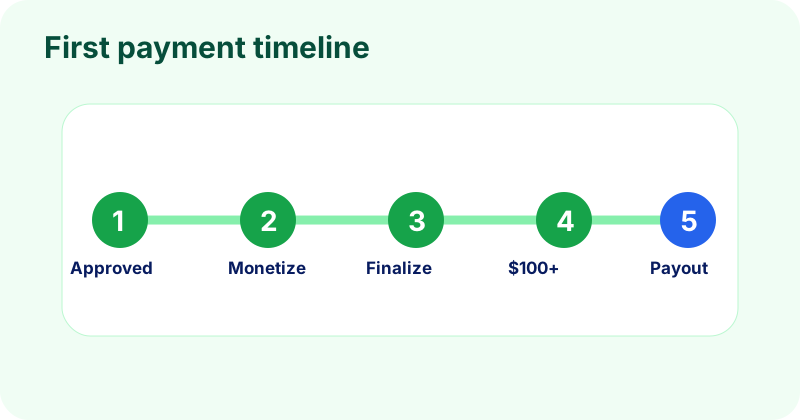
Step 1: Apply from YouTube Studio
Once eligible, apply from the Earn area in YouTube Studio. You will accept program terms, connect AdSense for YouTube, and submit the channel for review.
Step 2: Wait for channel review
Review can be fast or slow depending on volume, channel history, and policy complexity. Use the waiting period to clean thumbnails, descriptions, reused clips, and any content that might confuse reviewers.
Step 3: Turn on monetization
After approval, enable monetization for eligible videos. Not every video will earn the same way, and some videos may have limited ads if the topic is not advertiser-friendly.
Step 4: Revenue finalizes and crosses the threshold
YouTube estimated revenue is not the same as payout. Finalized earnings normally move through the monthly AdSense cycle. If your finalized balance is above the threshold and there are no holds, payment can be issued in the normal cycle.
How much does YouTube pay per view?
There is no single reliable pay-per-view number. A thousand views in one niche can earn much more or much less than a thousand views in another. Revenue depends on audience location, topic, seasonality, video length, ad inventory, advertiser demand, viewer behavior, and whether the views are eligible for monetization.
RPM matters more than raw views
RPM shows revenue per thousand views after YouTube's share and other factors. It gives creators a more practical way to compare channels and videos than guessing a fixed amount per view.
Shorts and long-form can behave differently
Shorts can build reach quickly, but their payment mechanics and watch-time eligibility differ from long-form. Long-form videos may be better for search, watch hours, and evergreen revenue; Shorts may be better for discovery and quick audience testing.
Audience value changes the math
A channel about software, finance, business, or education may attract different advertisers than a broad entertainment channel. But chasing only high-RPM topics is risky if you cannot make original videos viewers trust.
What slows down monetization approval or payment
Most delays are not mysterious. They come from incomplete setup, content risk, or unrealistic expectations.
Reused or low-originality content
Compilations, lightly edited clips, generic AI voiceovers, duplicate scripts, and reaction content without meaningful commentary can create monetization risk. If you are building faceless content, read Fuxux's faceless YouTube video workflow before scaling production.
Metadata that overpromises
Misleading titles, thumbnails, tags, or descriptions can hurt trust. A clear title should match the actual video. Use the free YouTube title checker to check length and clarity before upload.
Weak upload consistency
You do not need daily uploads, but random publishing makes it harder to learn what works. A repeatable weekly rhythm helps you improve titles, thumbnails, retention, and audience fit over time.
Free Fuxux tool workflow before monetization
Use free tools to make every upload easier to package and easier to understand. This does not guarantee revenue, but it improves the parts you control before the channel review.
- YouTube title checker: test whether the important words appear before truncation.
- YouTube tag generator: create starter topic tags and alternate phrases for the description workflow.
- Social media growth guide: plan a 30-day publishing rhythm while you work toward YPP thresholds.
- TikTok caption generator: repurpose a YouTube idea into short-form hooks without copying the same text everywhere.
If you are deciding between short-form and long-form growth, compare TikTok vs YouTube Shorts for beginners. If your channel is faceless, combine this monetization guide with the faceless YouTube workflow so the videos still feel original.
SEO checklist before you publish monetized videos
Monetization is easier to sustain when every upload is packaged clearly. Before publishing, check the parts that help YouTube and viewers understand the video.
- Title: lead with the actual viewer problem. Use the YouTube title checker to catch truncation before upload.
- Description: summarize the video in plain language, add useful links, and avoid stuffing repeated tags into the description.
- Tags: use the YouTube tag generator for topic context, but do not rely on tags to save an unclear video.
- Short-form repurposing: turn the same idea into native hooks for TikTok or Shorts with the TikTok caption generator.
- Publishing rhythm: use the social media growth guide to build a cadence you can keep for 90 days.
Internal links that support the monetization path
If you are still choosing a format, start with TikTok vs YouTube Shorts for beginners. If you want to make videos without showing your face, read how to make faceless YouTube videos. Once you are publishing regularly, compare scheduling tools for creators and automation tools so uploads stay consistent while you grow toward YPP. If long videos are part of a wider Instagram strategy, our guide on how to post a long video on Instagram can help you repurpose the same footage safely.
Frequently asked questions
Does YouTube pay before 1,000 subscribers?
Usually not for full ad revenue. Some channels may access fan-funding features earlier if eligible, but the standard full ad monetization path still requires the higher threshold. Check YouTube Studio for your exact eligibility.
Do Shorts count toward 4,000 watch hours?
Shorts have separate eligibility paths. Public watch hours from long-form content and valid public Shorts views are treated differently, so do not assume a Shorts-only channel is building the same 4,000-hour requirement.
Can I get paid from sponsorships before YPP?
Yes. Brand deals, affiliate links, products, consulting, and off-platform offers can generate income before YouTube pays ad revenue. Keep disclosures clear and avoid spammy promotions that hurt audience trust.
How long after approval does payment arrive?
If monetization is active, setup is complete, and your finalized balance crosses the payment threshold, payment can arrive during the next eligible AdSense payment cycle. If earnings are below the threshold, they roll over.
Can YouTube reject a channel that meets the numbers?
Yes. Subscriber and watch-time thresholds do not override policy review. Reused content, copyright issues, guideline strikes, misleading metadata, or advertiser-safety problems can delay or block approval.
When do you start getting paid for YouTube videos?
You start getting paid for YouTube once four things line up: the channel is accepted into the YouTube Partner Program, monetization is switched on, AdSense payment setup is complete and verified, and your finalized earnings cross the $100 payment threshold. Miss any one of those and payment waits — most commonly it is the threshold, since earnings below $100 simply roll over to the next month rather than paying out.
Bottom line
YouTube starts paying when the channel is accepted into YPP, monetization is active, payment setup is complete, and finalized earnings cross the threshold. The fastest healthy path is not chasing a magic view count. It is building original videos, packaging them clearly, improving retention, and keeping the channel policy-safe while the audience grows.
Publishing to YouTube regularly? See how scheduling works for YouTube.
About the author
I build Fuxux, a scheduler that publishes to 12 platforms from one queue. I write about the parts of posting that are actually fiddly — what each platform will and won't let you schedule natively, where the API limits bite, and how to keep a queue running without babysitting it.
Ready to post smarter?
Fuxux handles the scheduling, the formatting, and the AI captions — so you can focus on ideas.
Start free — no credit card