Am I Shadowbanned on X? Free Shadowban Test
Run a Twitter shadowban test and check if you are shadowbanned on X: search/reply visibility checks, common reach-limit causes, recovery steps.

Disclosure: Independent guide from Fuxux. We are not affiliated with the platforms or third-party tools mentioned in this article. Product names belong to their owners.
A sudden drop in X/Twitter reach can feel like a shadowban. One week your posts get replies, reposts, and profile visits. The next week, even your best posts barely move. Before you panic, test carefully. Many accounts are not actually shadowbanned; they are dealing with weak distribution, search filtering, low follower activity, a technical issue, or content that looks too repetitive.
This guide explains how to check whether you are shadowbanned on Twitter/X in 2026, what visibility limits can look like, which tests are useful, what causes reach suppression, and how to recover without making the account look more suspicious.
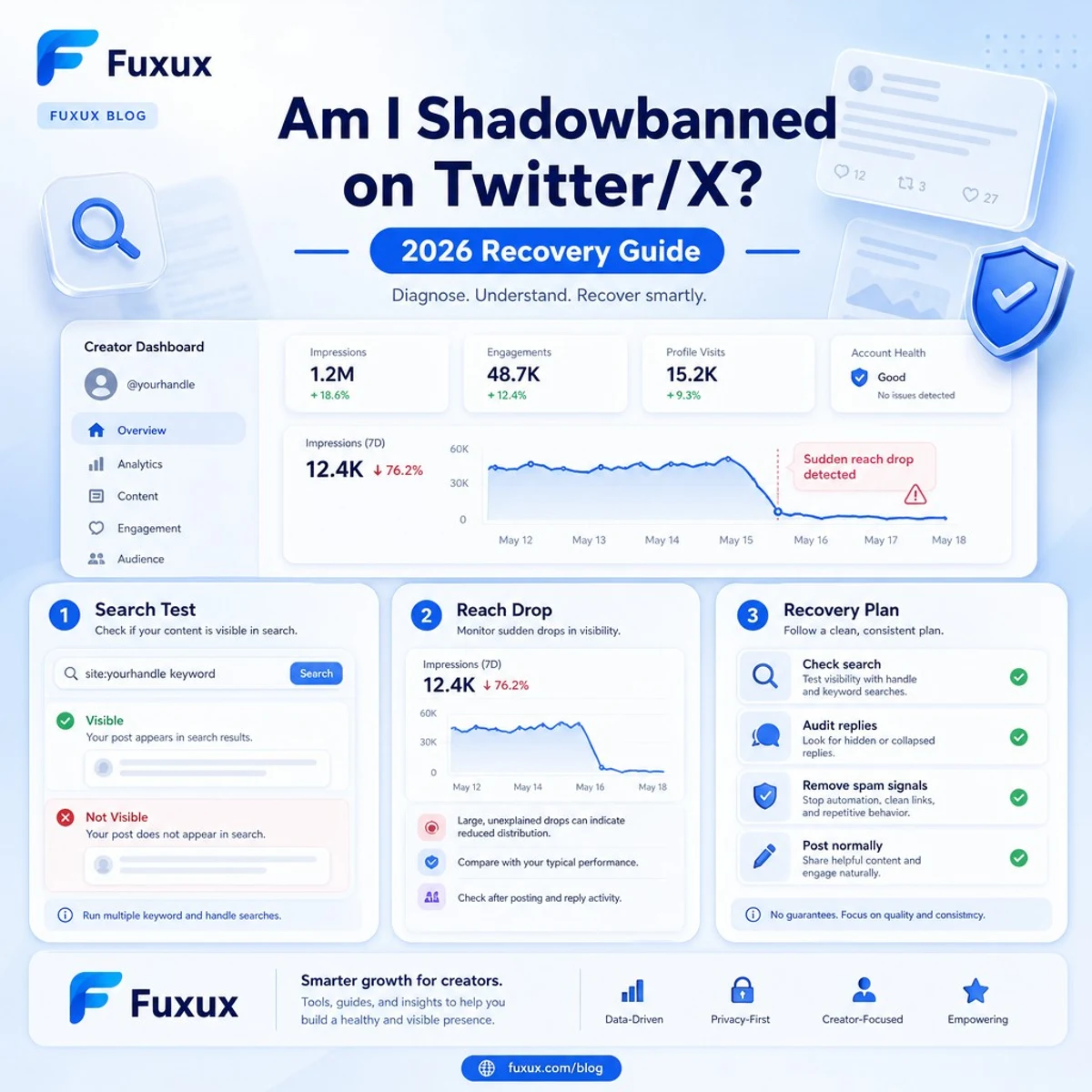
Quick answer: am I shadowbanned on Twitter/X?
You might be under a visibility limit if your recent posts disappear from search, your replies are hidden for non-followers, your account stops appearing in username search, or impressions collapse across many posts at the same time. But a single low-performing post is not proof. Reach can drop because the topic was weak, the hook failed, your followers were inactive, or the platform changed ranking behavior.
The best quick test is to check your account from outside your normal login. Open a private browser window or ask a trusted friend who does not follow you. Search for from:yourusername, search a unique phrase from a recent post, and inspect whether your replies appear normally in public threads. If multiple tests fail for several days, treat it as a real visibility problem.
What people mean by a Twitter shadowban
Users usually say "shadowban" when an account can still post but the content is harder for others to find. X/Twitter may describe this more formally as visibility filtering, reach limits, ranking changes, or enforcement actions. The result feels similar: you can see your own posts, but fewer other people can.
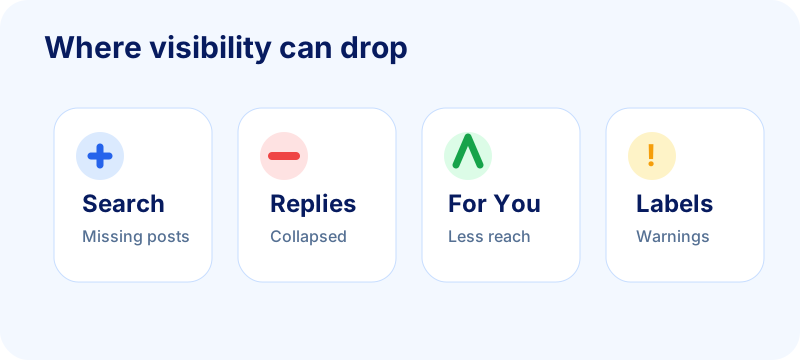
Search filtering
Your posts may not appear in search results, hashtag results, or the Latest tab for certain queries. This matters because search is where non-followers often discover older posts and topical conversations.
Reply deboosting
Your reply may appear low in a thread, behind a "show more replies" area, or not appear for some viewers. This is one of the most frustrating cases because conversation is where many small accounts grow.
Recommendation limits
Your posts may stop reaching For You, suggested content, or broader discovery surfaces. Followers can still visit your profile, but the platform recommends the content less often.
Account labels or enforcement notices
Sometimes the platform makes limits visible with a label, warning, or account notice. If you see one, read it carefully before changing behavior. X documents possible enforcement options in its enforcement options help page.
Reliable tests to check if you are shadowbanned
Shadowban checkers can be noisy. They may use outdated methods, fail because X blocks automated scraping, or label normal ranking changes as bans. Manual tests are slower but more trustworthy. Fuxux's free Twitter/X shadowban checker walks through the exact tests below and lets you log each result so you get a clear verdict instead of a guess.
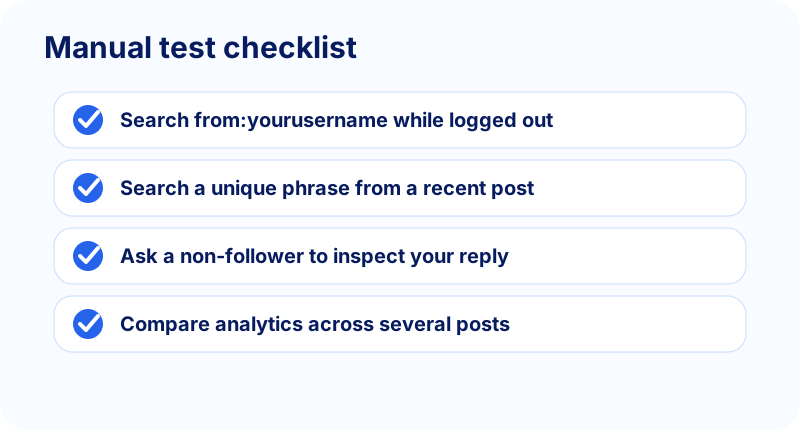
1. Search your posts while logged out
Open an incognito or private browser window. Search X for from:yourusername, replacing yourusername with your handle without the @ symbol. If recent public posts are missing, compare again later from a different device or network. One failed search can be a caching issue; repeated failures are more meaningful.
2. Search a unique phrase from a recent post
Pick a phrase that only appears in one of your posts. Search the exact words. If the post does not appear even when it is public, it may be filtered from search. Use X's advanced search guidance if you need more precise queries.
3. Ask a non-follower to inspect a reply
Reply to a public post from an account that does not follow you. Ask a friend from a separate account to open the thread and check whether your reply is visible, collapsed, or missing. Do not spam test replies; one clean test is enough.
4. Compare analytics across several posts
A shadowban-like issue usually affects many posts, not just one. Compare impressions, profile visits, replies, and reposts over a week. If every post collapses at the same time while your posting style stayed the same, there may be an account-level problem.
5. Check account status and email notices
Look for in-app notices, email warnings, locked features, removed posts, sensitive media labels, or verification prompts. A visibility drop with an account warning is different from a normal engagement slump.
Signs that are not enough proof
Creators often misread normal distribution as punishment. X/Twitter can be volatile, especially for small accounts.
One post did badly
One weak post does not prove anything. Timing, topic, first sentence, media quality, and audience mood can all reduce reach.
Your follower count stopped growing
Follower growth can stall for normal reasons: repetitive content, unclear profile positioning, fewer replies, weak pinned post, or a quiet niche. It is not automatically a shadowban.
Your hashtag did not work
Hashtags are not reliable growth engines on X. If a hashtag feed ignores your post, check search visibility too before assuming a penalty.
Someone disagreed with you
Being reported, criticized, muted, or blocked by a few users does not always create reach suppression. Look for technical visibility signals, not just social conflict.
Why Twitter/X may limit your reach
Most visibility limits come from behavior that looks unsafe, spammy, manipulative, or low quality. Even if your intent is normal marketing, the pattern can still look automated.
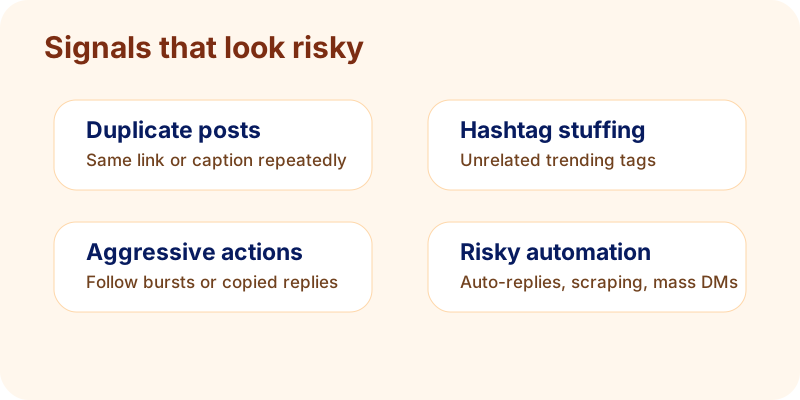
Repeated or duplicate posts
Posting the same link, caption, or promotional sentence over and over can look like spam. This is especially risky across multiple accounts. If you manage brand, founder, and product accounts, write unique versions instead of copying one post everywhere.
Hashtag and trend manipulation
Stuffing unrelated trending tags into posts can trigger quality filters. Use a small number of relevant tags, or skip tags when the post already has clear language.
Aggressive following, unfollowing, or replying
High-volume actions from a new or low-trust account can look automated. Follow slowly, reply like a human, and avoid repeating the same response in multiple threads.
Automation or suspicious tooling
Third-party tools are not automatically bad, but risky automation is. Avoid auto-replies, scraping, mass DMs, fake engagement, and tools that promise guaranteed reach. X documents rules around automation and platform manipulation.
Policy-sensitive content
Harassment, hateful conduct, violent threats, misleading impersonation, and sensitive media can lead to enforcement or ranking limits. If your account posts sensitive media, review X's sensitive media guidance.
What to do if you think you are shadowbanned
The recovery plan is not to post harder. Sudden high-volume posting can reinforce the exact pattern that caused the limit. Slow down, clean up, and rebuild trust signals.
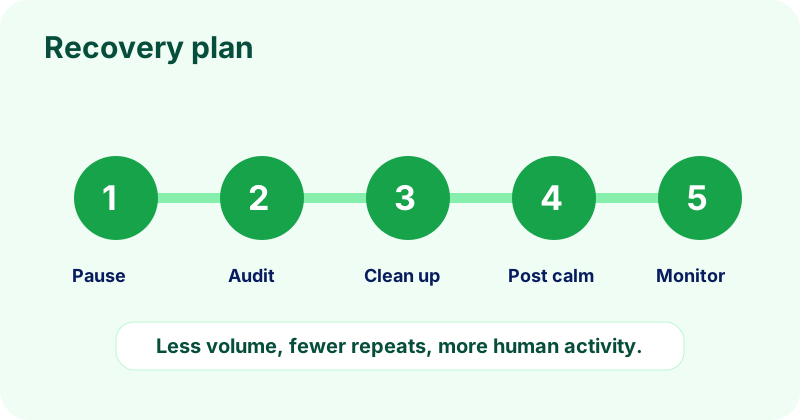
Pause risky behavior for 48 to 72 hours
Stop repetitive posting, mass replies, follow bursts, and hashtag experiments. You can still use the account normally, but keep activity calm and human.
Remove obvious spam signals
Delete or rewrite duplicate promotional posts. Remove irrelevant hashtags. Disconnect tools you do not trust. If a recent post was removed or labeled, do not repost the same thing immediately.
Secure and complete the account
Confirm email, enable two-factor authentication, update your bio, add a clear profile photo, and make sure your account is public if your goal is discovery. Fuxux has a related guide on making your Twitter/X account public.
Post lower-risk content for a week
Share original thoughts, helpful replies, simple text posts, and normal conversations. Avoid aggressive CTAs, repeated links, and suspicious engagement tactics while you monitor recovery.
Appeal only when there is an actual enforcement issue
If X shows a warning, label, locked feature, or removed post, use the official appeal path. If there is no notice, an appeal may not exist. In that case, focus on behavior cleanup and visibility testing.
Free tools and internal checks before you rebuild reach
If your visibility dropped, do not immediately schedule a bigger batch. Use free resources to make the next week calmer, more varied, and easier to measure.
- Twitter/X shadowban checker: run the search, reply, and account-notice tests from this guide and log a verdict in one place.
- Social media growth guide: map a lower-risk 30-day rhythm with fewer repeated links and more native value.
- LinkedIn text formatter: format clean cross-platform drafts before adapting them for X, LinkedIn, and other channels.
- Free tools hub: browse lightweight utilities for creator workflows when you are rebuilding account consistency.
Also check the basics: make sure your account is public with the Twitter/X public account guide, compare your symptoms with the LinkedIn impressions troubleshooting guide, and review social media best practices before increasing post volume again.
How to prevent future visibility problems
The best prevention is a publishing system that looks like a real human account: varied topics, original wording, natural timing, and relevant conversations.
Vary posts across accounts
If you manage multiple accounts, do not publish identical text to all of them. Change the hook, example, image, and CTA. Fuxux can help plan multi-platform posts, but the safest workflow still reviews each version before publishing.
Use a clean content mix
Balance educational posts, replies, opinions, product notes, and personal context. If every post is a link or promotion, the account can look low quality even if the product is legitimate.
Keep links contextual
Links are fine when they help the reader. But posting only links, especially the same URL repeatedly, can reduce trust. Add native value before asking people to leave the platform.
Track patterns, not feelings
Use analytics and a small testing checklist before diagnosing a shadowban. For broader creator troubleshooting, compare this with Fuxux's guides on LinkedIn posts getting no impressions and TikTok posts getting no views.
Bottom line
If you are asking "am I shadowbanned on Twitter?", start with evidence. Test search, replies, profile visibility, account notices, and analytics together. If only one post failed, keep creating. If multiple visibility tests fail, slow down and clean up the account.
Most recoveries come from boring fixes: stop duplicate posting, remove spam signals, secure the account, post normally, and wait for trust to rebuild. That is less exciting than a magic shadowban checker, but it is much safer for creators and teams that need the account to stay healthy.
Publishing to Twitter/X regularly? See how scheduling works for Twitter/X.
About the author
I build Fuxux, a scheduler that publishes to 12 platforms from one queue. I write about the parts of posting that are actually fiddly — what each platform will and won't let you schedule natively, where the API limits bite, and how to keep a queue running without babysitting it.
Ready to post smarter?
Fuxux handles the scheduling, the formatting, and the AI captions — so you can focus on ideas.
Start free — no credit card