Threads Strategy for Creators: Hooks & Workflow
Learn Threads strategy for creators in 2026: hook-first writing, single posts vs thread chains, Instagram cross-posting rules, weekly workflow.

Disclosure: Independent guide from Fuxux. We are not affiliated with Meta, Threads, Instagram, X, or third-party tools mentioned in this article. Product and platform names belong to their owners.
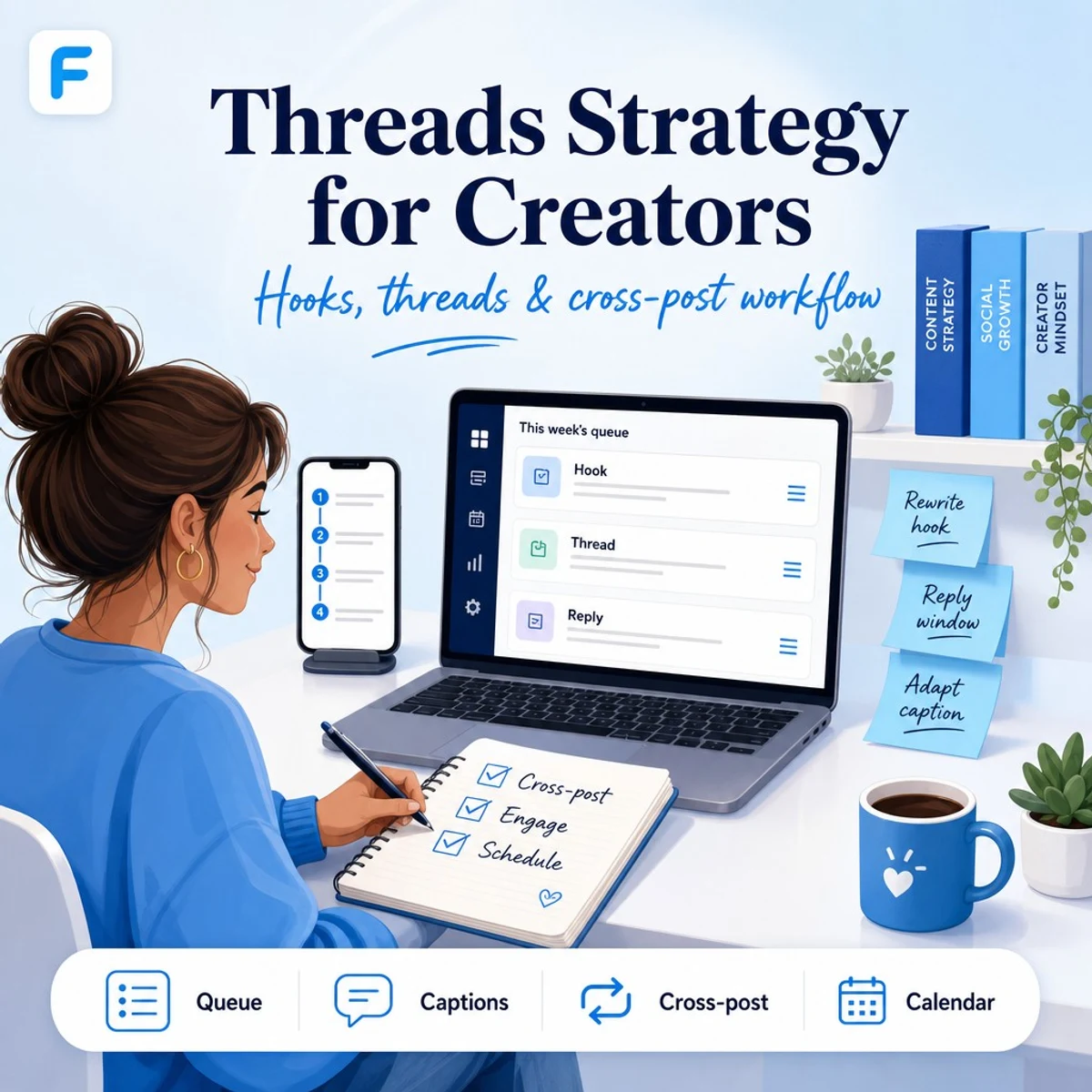
A Threads strategy is your repeatable plan for posting on Meta's text-first network: what to publish, how to write hooks, when to use single posts versus multi-post threads, how to cross-post from Instagram without sounding robotic, and how to turn replies into reach.
Threads sits between Instagram's visual feed and X's real-time conversation culture. In 2026, creators who win on Threads usually publish like humans—not like a copy-paste bot from another app. They lead with a clear first line, keep posts scannable, reply early, and adapt the same idea differently on each network.
Pair this guide with how to cross-post to multiple platforms, Instagram carousel strategy, visibility on X, and Threads scheduling so your text posts, visuals, and calendar stay aligned.
Quick answer: build a Threads strategy around conversational hooks, short value posts or 3–6 post threads, daily reply time, and adapted cross-posts—not identical captions from X or Instagram. Batch ideas weekly, schedule when your audience is active, and measure replies and profile visits—not vanity likes alone.
What is a Threads strategy?
A Threads strategy covers topic pillars, post formats, hook templates, thread length, cross-posting rules, reply habits, posting frequency, and how you measure whether the channel is worth your time. It is not "post the same caption everywhere and hope Meta notices."
Threads works best when your audience wants quick opinions, behind-the-scenes context, mini tutorials, founder updates, or community conversation—not long-form essays or heavy link dumps. If your brand is visual-first, Threads becomes the caption layer that gives your Instagram Reels and carousels a voice.
| Post type | Best for | Typical length |
|---|---|---|
| Single text post | Hot takes, questions, quick tips | 1–3 short paragraphs |
| Multi-post thread | Step lists, story arcs, mini guides | 3–8 connected posts |
| Image or carousel | Quotes, screenshots, swipe tips | 1 post + short caption |
| Video clip | Repurposed Reels or Shorts hooks | Under 60 seconds + context line |
| Reply-led post | Community building, AMAs | Question + active follow-up |
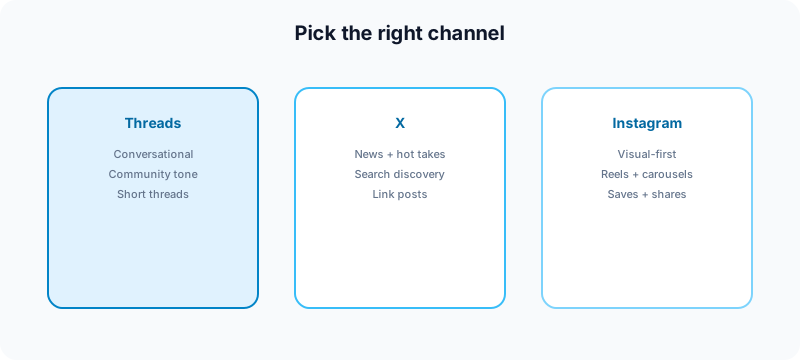
Threads vs X vs Instagram: where each post belongs
Creators often treat Threads like a second X account. That is a mistake. Each network rewards different packaging for the same core idea.
- Threads: conversational, community tone; fewer link-first posts; strong reply loops with people you follow.
- X: newsy hooks, quote posts, search-friendly phrases, thread chains with bold claims.
- Instagram: visual proof, saves, carousels, Reels; captions support the asset.
Use Threads when you want discussion around an idea you already showed visually on Instagram. Use X when timing and search matter. Use Instagram when the image or video is the main event.
Hook-first writing for Threads
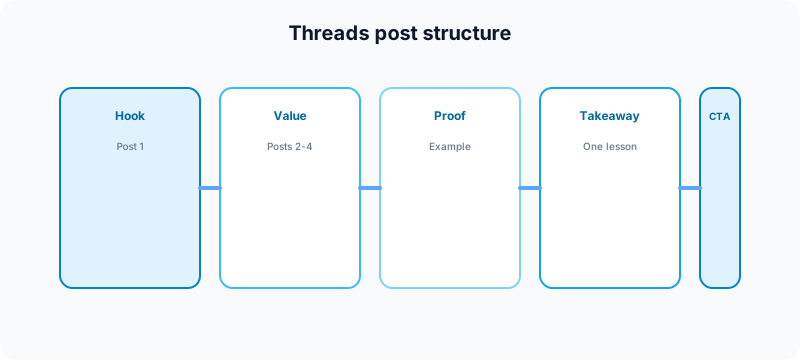
The first line decides whether anyone taps "show more" or keeps scrolling. On Threads, hooks that work tend to be specific, slightly informal, and immediately useful—not vague inspiration.
Strong hook patterns:
- Contrarian clarity: "Unpopular opinion: posting daily on every app is why your Threads feed feels empty."
- Numbered promise: "3 posting mistakes I stopped making on Threads this month."
- Story opener: "I almost quit cross-posting until I changed one line in the caption."
- Direct question: "Creators: do you treat Threads like Instagram or like group chat?"
Weak hooks: generic motivation, hashtag stacks, or opening with your brand name before the reader knows why they should care.
Draft hooks with AI caption writing, then edit until they sound like you—not like a template. For short-form video hooks that can seed Threads posts, try the free TikTok caption generator and adapt the opening line for text.
Single posts vs thread chains
Not every idea needs a thread. Over-threading is one of the fastest ways to lose readers on mobile.
When a single post is enough
- One clear tip or opinion
- A question to spark replies
- A short story with one punchline
- A reaction to a trend with your take
When to use a thread chain
- Step-by-step tutorials (3–6 posts)
- Before/after breakdowns with context on each slide
- Launch walkthroughs where order matters
- Repurposed carousel outlines from Instagram carousels
Cross-posting to Threads without looking spammy
Meta makes it easy to share from Instagram to Threads. Easy does not mean identical. A Threads strategy should include adaptation rules before you automate anything. Meta's help center explains how sharing from Instagram to Threads works in the app—use it to confirm current cross-post options before you automate.
- Rewrite the first line for conversation, not discovery SEO.
- Cut hashtag clutter. Threads feeds are not Instagram search.
- Add context the visual does not show—why you posted, who it is for.
- Change the CTA. Ask a question instead of "link in bio" on every post.
- Stagger timing. Do not publish the same moment on Instagram and Threads unless you have a launch reason.
For the full multi-network system, read how to automate social media without looking robotic and how to cross-post to multiple platforms.
How often to post on Threads
Consistency beats volume. Most solo creators do well with 4–7 Threads posts per week plus daily reply time—not twenty empty posts that train the algorithm your account is noise.
| Cadence | Who it fits | Risk |
|---|---|---|
| 1–3× / week | Visual-first brands using Threads as a side channel | Slow audience growth |
| 4–7× / week | Most creators building conversation | Balanced |
| 1–2× / day | News, commentary, or community-led brands | Burnout if every post is manual |
Align frequency with your wider calendar using content calendar guide for creators and how often to post on social media in 2026.
Engagement: replies are part of the strategy
Threads distribution often follows conversation velocity. Posting without replying is like hosting a meetup and leaving after the opening line.
- Block 15–30 minutes after publish to reply to early comments.
- Reply to people in your niche even when they did not mention you—genuine, not copy-paste.
- Quote-post your own thread with a one-line takeaway the next day if it performed.
- Turn strong reply threads into future posts—your audience already told you what resonated.
If you are comparing text-network visibility, see am I shadowbanned on Twitter/X for diagnostic habits that also help on Threads (search your handle, test from a private window, check whether replies appear normally).
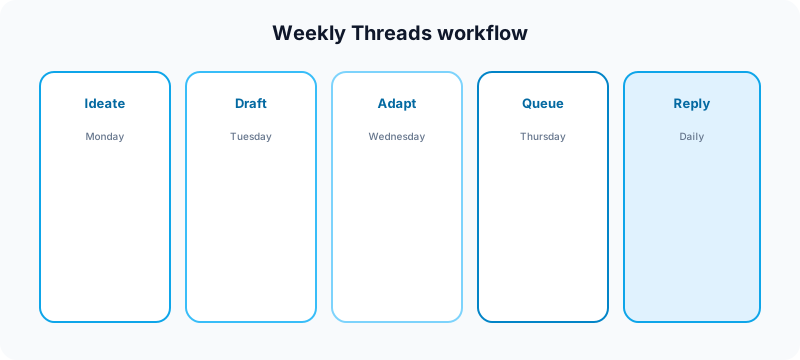
Weekly Threads workflow
Batching keeps Threads from becoming a daily panic post.
- Monday: pick 3–5 topics from content pillars (launch, tutorial, opinion, BTS, question).
- Tuesday: draft hooks and thread outlines in a doc.
- Wednesday: adapt Instagram or LinkedIn drafts for Threads tone.
- Thursday: queue posts in your scheduler; preview thread order.
- Friday–Sunday: publish, reply, log what earned comments.
Scheduling Threads posts
You can publish natively in the Threads app or queue through a multi-platform scheduler when you batch content. Scheduling saves time; it does not replace replies. Always leave room to engage after go-live. For official guidance on posting and account settings, see Meta's Instagram Help Center (Threads is part of the Meta app ecosystem).
Scheduling checklist:
- Thread posts are in the correct order before queueing.
- First post hook stands alone in the preview.
- Media attachments render correctly on mobile.
- Timezone matches your primary audience.
- Approval step completed if a client signs off—see social media approval workflow.
See how to schedule social media posts for the full cross-platform rhythm and Threads scheduling on Fuxux when you want one queue beside Instagram, TikTok, LinkedIn, and X.
Repurposing content onto Threads
Your best Threads posts often come from assets you already made elsewhere:
- Instagram carousel → thread chain (one slide idea per post)
- LinkedIn document post → shorter conversational thread (LinkedIn carousel strategy)
- TikTok script → text hook + lesson + question
- Newsletter section → single Threads post with one takeaway
- Customer FAQ → weekly "ask me" thread
Use the free Instagram carousel splitter when you need clean slide assets; use the LinkedIn text formatter when adapting long captions into shorter line-broken Threads copy.
Metrics that matter on Threads
Likes alone are a weak signal. Track:
- Replies and reply depth — are conversations starting?
- Reposts — is the idea traveling?
- Profile visits — did the post make people curious about you?
- Follows from post — audience growth tied to specific topics
- Link clicks (when you use links)—secondary to conversation on Threads
Review metrics weekly. Double down on post types that earn replies, not just impressions from your existing followers.
Common Threads strategy mistakes
- Identical cross-posts from X or Instagram with no edits.
- Hashtag stuffing copied from Instagram SEO habits.
- Threads that are too long—ten posts when four would suffice.
- No reply window after publishing.
- Link-only posts with no reason to engage in-app.
- Inconsistent voice—corporate on Instagram, chaotic on Threads without intent.
- Ignoring Instagram connection—your Threads audience often discovers you through Meta's graph first.
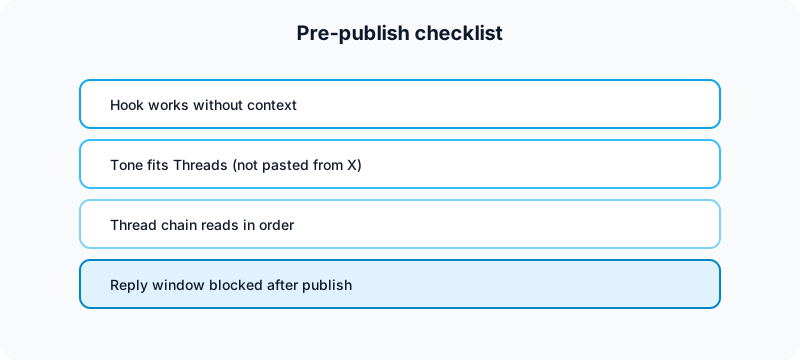
Pre-publish checklist
- First line works without seeing the rest of the thread
- Tone is conversational, not pasted from X
- Thread order previewed on mobile
- Cross-post adapted, not duplicated
- One clear CTA (question, save prompt, or follow reason)
- 15–30 minutes blocked for replies after publish
Free tools to support Threads publishing
| Task | Free tool | How it helps |
|---|---|---|
| Draft hook-first captions | TikTok caption generator | Start with strong opening lines, then adapt for Threads. |
| Format line breaks | LinkedIn text formatter | Break long captions into scannable Threads copy. |
| Split carousel visuals | Instagram carousel splitter | Turn swipe posts into thread-friendly images. |
| Plan Instagram grid + Threads voice | Instagram grid maker | Align visual campaigns with text posts. |
| Check handle consistency | Instagram handle checker | Keep branding aligned across Meta apps. |
| Map weekly topics | Growth guide | Build pillars before you batch Threads posts. |
| Package Shorts from thread ideas | YouTube title checker | Turn thread lessons into searchable Shorts titles. |
| Short-form username check | TikTok username checker | Match handles when repurposing to video networks. |
Browse all utilities on the free tools page.
Related guides
- How to cross-post to multiple platforms
- Instagram carousel strategy for creators
- LinkedIn carousel strategy for creators
- How to schedule social media posts
- Social media best practices
FAQ: Threads strategy for creators
What is a good Threads strategy for beginners?
Post 4–7 times per week with conversational hooks, reply daily, and adapt—not duplicate—content from Instagram. Focus on one content pillar for the first month so your audience learns what to expect.
How is Threads different from X?
Threads leans more conversational and community-driven within Meta's ecosystem. X still favors real-time news, search, and quote-post culture. Adapt hooks and CTAs per network.
Should you cross-post Instagram to Threads?
Yes, but rewrite the opening line, cut hashtag clutter, and add context. Identical captions across apps usually underperform on Threads.
How long should a Threads thread be?
Most educational threads work best between three and six posts. If each post is only one sentence, you may be able to combine them into a single post instead.
Can you schedule Threads posts?
Yes—natively or through a multi-platform scheduler. Always preview thread order and block time to reply after publishing.
Where a scheduler fits
Tools like this one help creators queue Threads posts beside Instagram, TikTok, LinkedIn, X, YouTube, and Pinterest: draft hooks, adapt captions per platform, review before publish, and keep one calendar instead of nine tabs. Scheduling removes friction; replies and adaptation are still what make Threads grow.
We are not affiliated with Meta, Threads, Instagram, X, TikTok, or LinkedIn. Platform names are used to describe creator publishing workflows.
Bottom line
A strong Threads strategy is conversational, consistent, and adapted. Lead with hooks people can reply to, keep thread chains tight, cross-post with edits—not copy-paste—and treat replies as part of the publish workflow. Batch weekly, schedule smart, and measure conversation—not just likes.
Publishing to Threads regularly? See how scheduling works for Threads.
About the author
I build Fuxux, a scheduler that publishes to 12 platforms from one queue. I write about the parts of posting that are actually fiddly — what each platform will and won't let you schedule natively, where the API limits bite, and how to keep a queue running without babysitting it.
Ready to post smarter?
Fuxux handles the scheduling, the formatting, and the AI captions — so you can focus on ideas.
Start free — no credit card