YouTube Title Length: The 100-Character Limit
YouTube allows 100 characters in a video title and shows about 60. Where each surface truncates, and how to write titles that survive the cut.

Disclosure: Independent guide from Fuxux. We are not affiliated with YouTube or Google, or with any third-party tool mentioned here. Product names belong to their owners.
YouTube gives you 100 characters for a video title, and shows roughly 60 of them. That gap is the whole problem. The editor accepts a title right up to the hundredth character without complaint, so nothing warns you that the last forty will be replaced by an ellipsis everywhere it matters.
Both numbers are worth holding at once. The 100-character limit is a hard stop: paste something longer and YouTube refuses to save it. The roughly 60-character display window is softer, varies by surface, and is the one that decides whether a browsing viewer understands your video before they scroll past it.
Pair this with how to make faceless YouTube videos and when does YouTube start paying you if you are building a channel workflow rather than fixing one title.
Quick answer: the maximum YouTube title length is 100 characters. Search results truncate around 60, and the mobile home feed often shows fewer. Put the thing a stranger needs to understand inside the first 40 characters, and treat everything after 60 as a bonus that many viewers will never read.
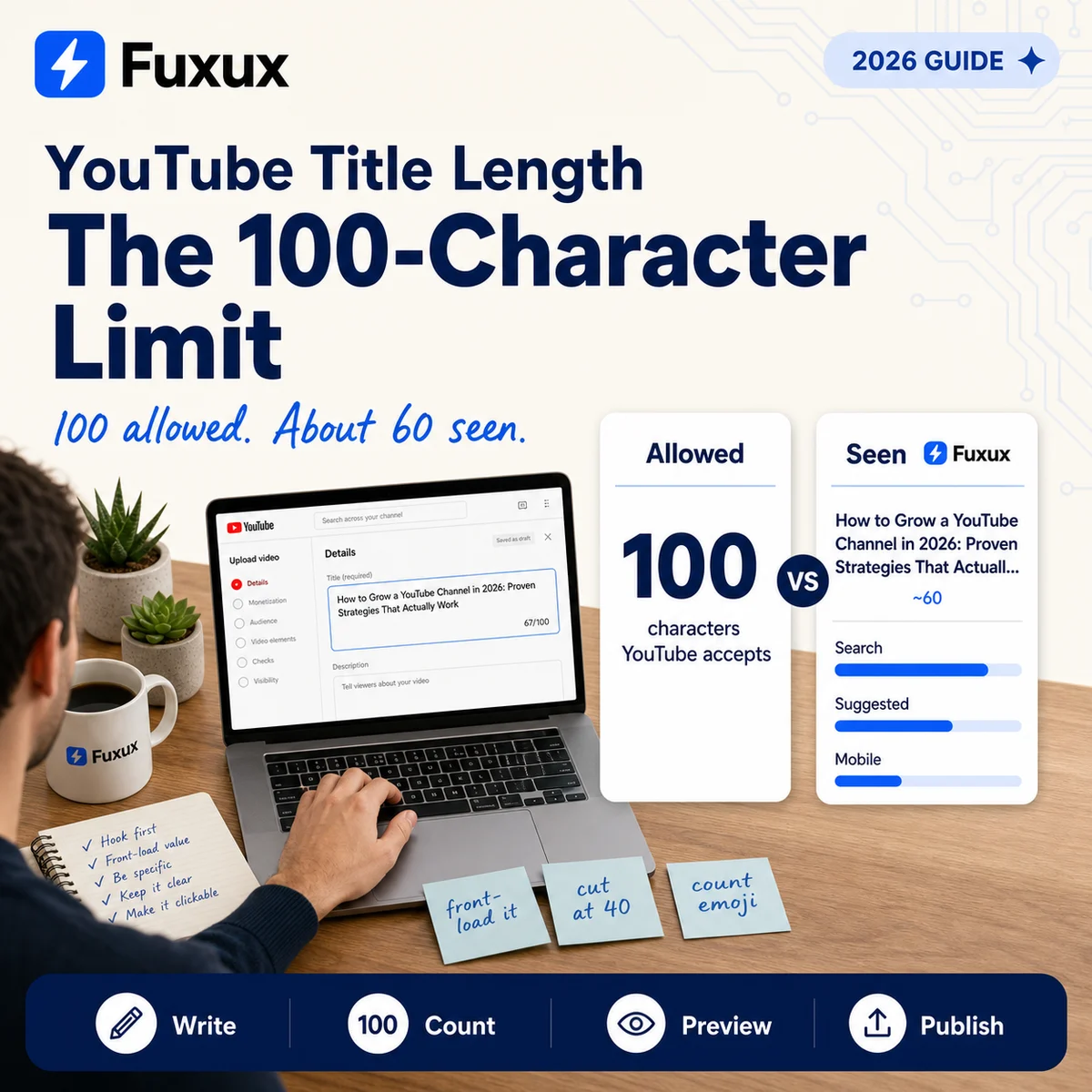
The YouTube title character limit, and the number that matters more
The 100-character maximum applies to every video title on YouTube, long-form and Shorts alike. There is no separate allowance for Shorts, no extension for verified channels, and no way to buy more room. When you reach the limit the character counter under the title field stops accepting input.
Display truncation is different, because it is not one number. YouTube renders titles into containers of different widths depending on where the video appears, and it cuts to fit the container rather than to a fixed character count. Desktop search results are generous. The suggested-videos column beside a playing video is narrower. The mobile home feed is narrower still and frequently shows two lines at a smaller size.
Designing for the tightest surface rather than the most generous one is the safer instinct, because you do not control which surface introduces you to a stranger.
Where YouTube actually cuts your title
Search results
Desktop search gives titles the most room of any surface. Around 60 characters usually survive, though a title full of wide letters will truncate earlier than one full of narrow ones. This is the surface people picture when they think about titles, and it is the least representative of where views come from.
The suggested and home feeds
Most channels get most of their views here, and it is where titles are cut hardest. Thumbnails sit in a grid, titles get two lines at most, and the second line often ends mid-phrase. A title that reads perfectly in search can arrive here as a fragment that answers nothing.
Mobile
The majority of YouTube watch time happens on phones, and phone layouts are the least forgiving. Assume a mobile viewer sees roughly the first 40 characters clearly and skims whatever follows.
Shorts
Shorts titles appear as an overlay on the video itself, often collapsed to a single line with a tap-to-expand control. The 100-character limit still applies, but the practical display window is smaller than anywhere else on the platform.
Front-loading beats filling the box
Because truncation happens at the end, the only reliable position is the beginning. A title that opens with the subject and the promise survives every surface. A title that opens with channel branding, a series number, or a wind-up phrase spends its visible characters on things the viewer did not search for.
Compare these two, both under the limit:
- Episode 14 of My Weekly Series — Today I Explain How to Fix Slow Wi-Fi at Home
- Fix Slow Wi-Fi at Home in 10 Minutes (Ep. 14)
The first spends its opening 30 characters on information that matters to existing subscribers and nobody else. The second is intelligible at 40 characters and still carries the series marker for the people who care about it.
This is also why filling all 100 characters rarely helps. Extra length does not add ranking weight, and the words past the truncation point are read by machines more often than by people.
What counts as a character
Everything visible counts, including spaces and punctuation. Emoji count too, and some count as more than one character because of how they are encoded — a single emoji with a skin-tone modifier can consume several of your hundred. If your counter and YouTube's disagree, this is usually why.
Two practical consequences. First, a title that fits in your notes app may not fit in YouTube. Second, decorative brackets, pipes and emoji are expensive in a space where you are already short.
You can change a title after publishing
Editing a title does not reset the video, delete its watch history, or remove it from search. There is no penalty for fixing a title that underperformed, and no cooling-off period.
What does change is that YouTube re-evaluates the video against its new title over time rather than instantly. Give a change a fair window before judging it, and change one thing at a time if you want to learn anything from the result. A simultaneous title and thumbnail swap tells you only that something worked.
A workflow that keeps titles inside the limit
- Write the promise first, in plain words. What does the viewer get? Say it without adjectives.
- Cut it to 40 characters. If it survives that, it survives every surface.
- Add the qualifier. The year, the tool, the constraint, whatever separates this video from the twenty like it.
- Check the count before you upload, not in the YouTube editor where the field quietly accepts a title nobody will read in full.
- Read it as a fragment. Cover everything past character 60 and ask whether what remains still means something.
Our free YouTube title checker does steps four and five in one place: it counts against the 100-character limit and previews where the title truncates, so you see the fragment a browsing viewer sees rather than the full sentence you wrote.
Common mistakes
- Treating 100 as a target. It is a ceiling, not a goal. Most strong titles land between 45 and 65 characters.
- Leading with the channel name. Viewers already see it under the thumbnail.
- Burying the keyword. If the phrase someone searched sits at character 70, it is invisible where most views begin.
- Writing for the desktop preview. The upload page shows a wide field. Your audience is mostly on a phone.
- Spending characters on punctuation. Brackets and separators are structure, not information.
The short version
One hundred characters is what YouTube allows. Sixty is roughly what it shows. Forty is what a phone viewer reads before deciding. Write for forty, use sixty, and keep the remaining forty in reserve for the qualifiers that only matter once someone is already interested.
If you are publishing to more than one platform, the same discipline applies with different numbers. See how to cross post to multiple platforms for the per-platform limits worth knowing.
Frequently asked questions
What is the YouTube title character limit?
One hundred characters, for every video on the platform. The upload editor stops accepting input at that point.
Is the YouTube title character limit the same for Shorts?
Yes. Shorts and long-form videos share the same 100-character maximum. Shorts display far less of it, because the title sits over the video as an overlay rather than beside a thumbnail.
How many characters of a YouTube title are actually visible?
It depends on the surface. Desktop search shows around 60. The suggested column and the mobile home feed show noticeably fewer, often closer to 40 before the second line ends. There is no single published number because YouTube truncates to fit a container width, not to a character count.
What is the ideal YouTube title length?
Between 45 and 65 characters for most videos. That is long enough to carry a subject and a qualifier, and short enough to survive truncation on the surfaces where browsing viewers meet you.
Do emojis count toward the character limit?
They do, and some count as more than one. Emoji built from several code points, such as those with skin-tone or gender modifiers, consume several characters each. This is the usual reason a third-party counter and YouTube disagree.
Does changing a YouTube title hurt the video?
No. Editing a title keeps the video, its URL, its watch history and its position in search. YouTube reassesses the video against the new title over time, so give the change a fair window rather than judging it the same day.
Does a longer title rank better?
No. Using all 100 characters carries no ranking advantage. Characters past the truncation point are read far more often by machines than by people, which is a poor trade for the clarity you spend to get them.
Publishing to YouTube regularly? See how scheduling works for YouTube.
About the author
I build Fuxux, a scheduler that publishes to 12 platforms from one queue. I write about the parts of posting that are actually fiddly — what each platform will and won't let you schedule natively, where the API limits bite, and how to keep a queue running without babysitting it.
Ready to post smarter?
Fuxux handles the scheduling, the formatting, and the AI captions — so you can focus on ideas.
Start free — no credit card