Can You Schedule TikTok Posts? Native vs Tools
Yes — you can schedule a TikTok post. Learn native TikTok scheduling, third-party queues, caption prep, batch workflows, best times, mistakes to avoid.

Disclosure: Independent guide from Fuxux. We are not affiliated with the platforms or third-party tools mentioned in this article. Product names belong to their owners.
Yes — you can schedule a TikTok post. TikTok's native upload flow lets many creators pick a future publish time, and third-party schedulers can queue TikTok videos alongside Instagram, YouTube, LinkedIn, and other networks when you want one calendar instead of five apps.
The useful question is not whether scheduling exists. It is whether your workflow protects hooks, captions, cover frames, sound choices, and account health. Scheduling should make TikTok calmer—not turn a weak video into automated clutter that posts while you are offline and cannot reply to early comments.
Pair this guide with how to schedule social media posts, why your TikTok is not getting views, and TikTok scheduling so timing, quality, and cross-platform planning work together.
Quick answer: yes—use TikTok's built-in scheduler for single-network publishing, or a multi-platform scheduler when you batch short-form content across apps. Draft captions first, check the first frame and hook, queue at a realistic time, then stay online after publish to reply to early comments.
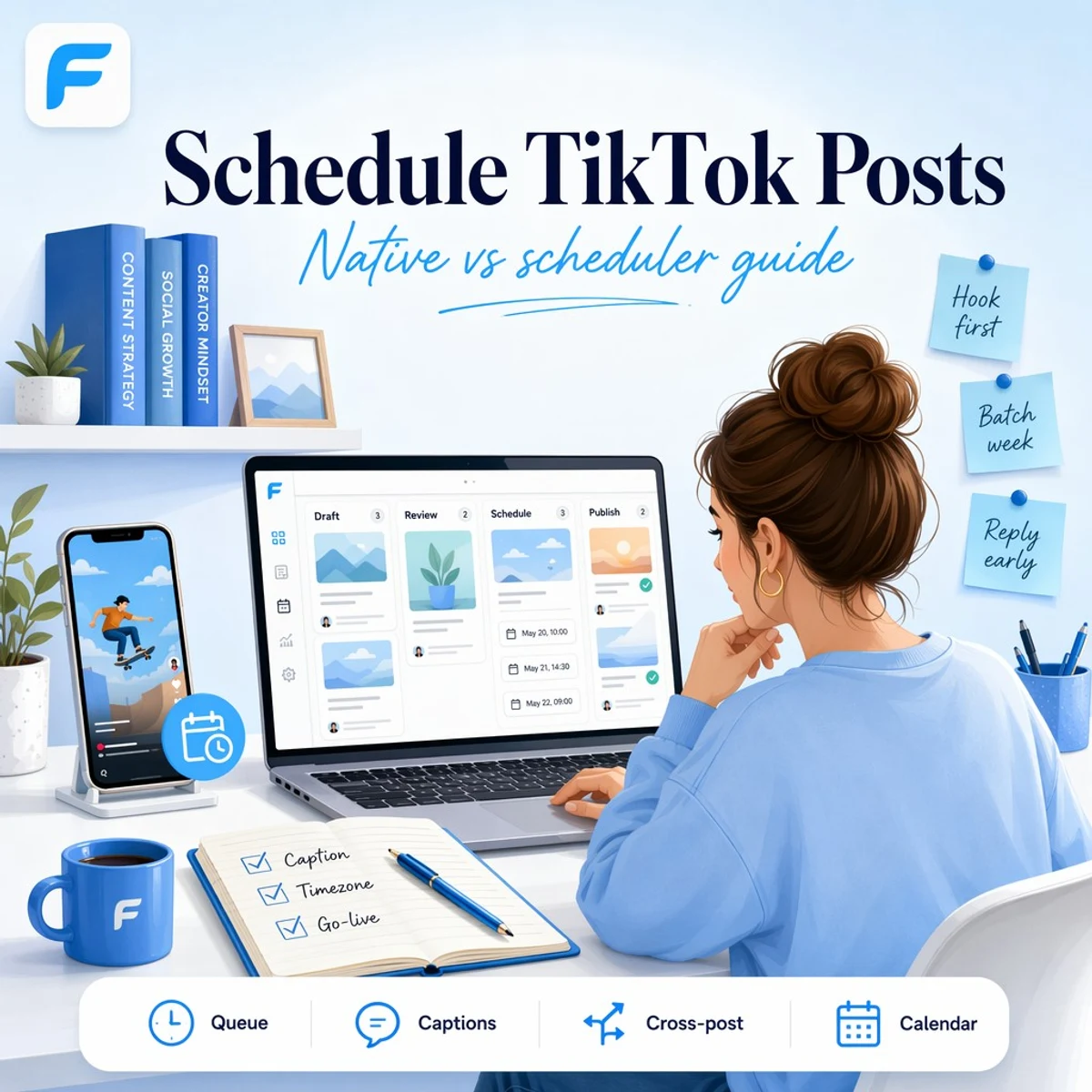
Quick answer: can you schedule TikTok posts?
Yes. Most creators and businesses can schedule TikTok videos for a future date and time through TikTok's upload screen or through a connected scheduler. Native scheduling is enough when TikTok is your only short-form channel. A scheduler makes more sense when you publish the same campaign to TikTok, Instagram Reels, YouTube Shorts, LinkedIn, and X from one weekly batch.
TikTok's help center documents scheduling from the upload flow: after you add a video, you can choose Schedule video instead of posting immediately, then pick a date and time. Availability can vary by account type, region, and app version—always confirm in your own upload screen before you build a workflow around it. See TikTok's guide on scheduling videos for the latest official steps.
In plain language: scheduling is real, but it is not a substitute for a strong hook, readable on-screen text, and a caption that matches the video. If those are weak, a perfect publish time will not save the post.
Native TikTok scheduling vs third-party schedulers
Both options schedule posts. They solve different jobs.
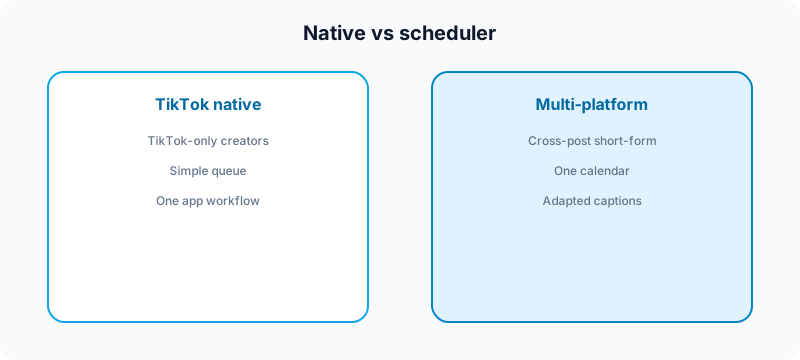
| Approach | Best for | Trade-off |
|---|---|---|
| TikTok native scheduler | Solo creators posting only to TikTok | One network at a time; limited calendar view |
| Multi-platform scheduler | Creators cross-posting short-form video | Requires connected account and review habit |
| Manual publish | Brand-new accounts, trend chasing, live tests | Harder to stay consistent at scale |
How to schedule a TikTok post natively
The labels move between app versions, but the workflow is usually the same.
- Record or import your vertical video and open TikTok's create/upload flow.
- Add on-screen text, stickers, and effects while the hook still reads clearly in the first second.
- Write your caption, hashtags, and any disclosure lines before you leave the screen.
- Instead of tapping Post, choose Schedule video (or the equivalent scheduling option in your app).
- Pick the date and time in the correct timezone.
- Confirm the scheduled post and check your scheduled list before you close the app.
- Set a reminder to be online 15–30 minutes after publish for early replies.
Native scheduling is a strong default when you only manage one TikTok account and you do not need a cross-platform calendar. It is weaker when the same clip also needs Reels, Shorts, and LinkedIn versions with different captions.
How third-party TikTok scheduling works
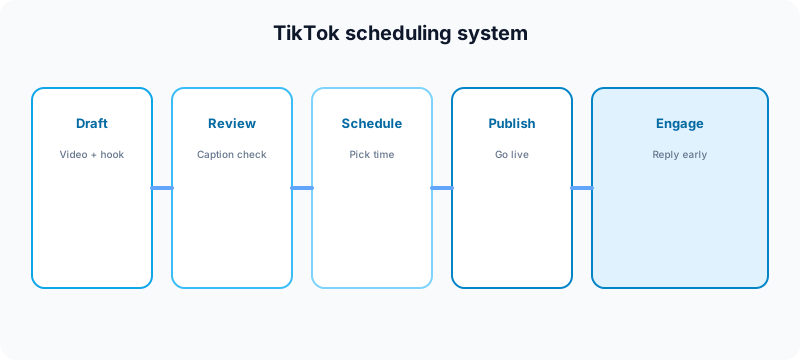
A multi-platform scheduler connects to your TikTok account through the platform's official integration, then lets you upload or select a video, draft a caption, choose a publish time, and manage the queue beside Instagram, YouTube, LinkedIn, X, Facebook, Threads, Bluesky, and Pinterest.
That matters when your week looks like this: one master clip becomes a TikTok post, a Reel, a Short, a LinkedIn video update, and an X post—with different hooks and caption lengths for each network. Copy-pasting the same text everywhere is fast and usually performs worse than adapting per platform. Read how to cross-post to multiple platforms for the adaptation layer.
A multi-platform scheduler fits here: queue TikTok posts in the same calendar as your other channels, draft hook-first captions with AI assistance, review before publish, and keep a weekly rhythm without logging into every app separately. See TikTok scheduling and best social media scheduling tools for creators for a broader tool comparison.
What you can and cannot schedule on TikTok
Scheduling tools are powerful, but they are not magic. Know the limits before you batch a month of content.
- Video posts: the core use case—vertical clips with captions and hashtags.
- Caption edits: draft and review before queue time; last-second typos are harder once a post is locked in.
- Cross-platform variants: schedulers help you plan TikTok beside Reels and Shorts, but each upload still needs the right aspect ratio and hook.
- Trend sounds: trending audio can change quickly; a video scheduled too far ahead may feel dated if the sound peaks early.
- Real-time replies: scheduled does not mean disappear. Early comment velocity still matters for many accounts.
- Brand-new accounts: warm up manually before you automate heavily. See why your TikTok is not getting views.
Caption and hook prep before you schedule
TikTok rewards the first second and the first line. Scheduling lets you publish at 7:00 a.m., but it does not write the hook for you.
Before you queue a video, check:
- First frame: does the visual make sense without sound?
- On-screen text: large enough to read on a phone?
- Caption opening: does the first line earn the tap on "more"?
- Hashtags: relevant and short—not a block of unrelated tags.
- CTA: one clear next step (follow, comment, save, link in bio).
Start caption drafts with the free TikTok caption generator, then edit in your own voice. For hook craft on short-form video, read why your Reels are not going viral—the first-second logic applies to TikTok too. For AI-assisted drafts across networks, see AI caption writing for social media.
Best time to schedule TikTok posts
There is no universal best hour. There is a best hour for your audience. Start with when your followers are usually awake and scrolling, then test two or three windows for four weeks.
| Creator type | Starting window to test | Why |
|---|---|---|
| B2B / founder | Weekday mornings and lunch | Professional audiences scroll in breaks |
| Consumer / lifestyle | Evenings and weekends | Leisure scrolling peaks after work |
| Global audience | Stagger tests by timezone | A single local time may miss half your viewers |
For broader cadence planning, use how often to post on social media in 2026 and content calendar guide for creators. Scheduling makes timing consistent; analytics tell you whether the window is right.
Weekly batch workflow for scheduled TikTok
Creators who schedule successfully usually batch. They do not open TikTok twelve times a day with no plan.
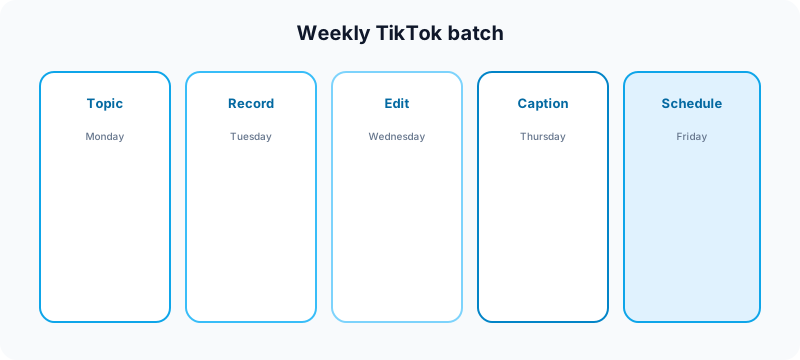
- Monday: pick three to five topics from your content pillars.
- Tuesday: record or assemble vertical clips; export clean master files.
- Wednesday: add on-screen text, hooks, and cover frames.
- Thursday: draft captions and platform-specific variants.
- Friday: run approval review, then schedule the week's queue.
- After publish: reply to early comments on each post.
If you also publish Reels and Shorts, batch the adaptation layer in the same session. Compare formats in TikTok vs YouTube Shorts for beginners and Instagram post vs Story vs Reel.
Repurposing scheduled TikTok across platforms
One scheduled TikTok clip can seed a full short-form week—if you adapt, not copy.
- Instagram Reels: tighten the hook; check safe zones for UI overlays.
- YouTube Shorts: rewrite the title and description; test with the YouTube title checker.
- LinkedIn: add professional context in the first line.
- X: compress to one punchy line and a strong clip.
Scheduling all variants from one dashboard reduces the chance you forget a network on launch day. That is especially useful for product launches—see social media launch checklist.
Common TikTok scheduling mistakes
- Scheduling too far ahead on trend-led content. Sounds and memes decay fast.
- Identical captions everywhere. Each platform has different tone and length norms.
- Ignoring the first frame. Thumbnail logic still matters in feed.
- No post-publish engagement. Block 15 minutes after go-live for replies.
- Automating a cold account. Warm up with manual posts first.
- Skipping approval review. Use a checklist—see social media approval workflow.
- Wrong timezone. Double-check scheduled times before a trip or DST change.
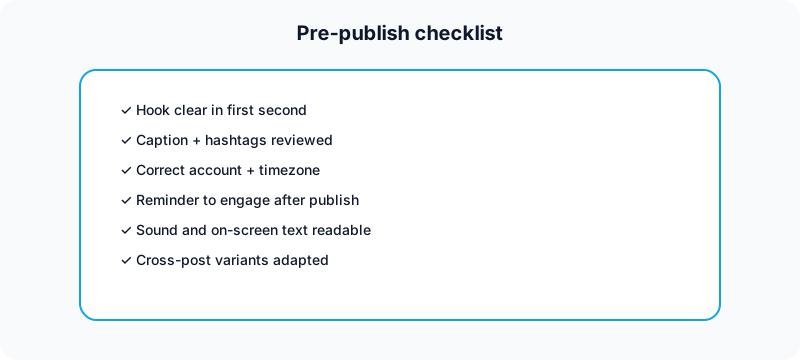
Pre-publish checklist for scheduled TikTok posts
- Hook readable in the first second
- Caption checked for typos and disclosure lines
- Hashtags relevant to the topic
- Sound level balanced; voice-over clear
- Correct account selected in the scheduler
- Publish time matches audience timezone
- Reminder set to engage after go-live
Free tools to support TikTok scheduling
| Task | Free tool | How it helps |
|---|---|---|
| Draft hook-first captions | TikTok caption generator | Start captions before you queue the video. |
| Check username consistency | TikTok username checker | Keep branding aligned across networks. |
| Plan weekly topics | Growth guide | Map pillars before batch day. |
| Format LinkedIn variants | LinkedIn text formatter | Adapt TikTok lessons into professional posts. |
| Improve YouTube Shorts titles | YouTube title checker | Package repurposed clips for Shorts search. |
| Draft Shorts tags | YouTube tag generator | Support discoverability on repurposed video. |
| Split carousel lessons | Instagram carousel splitter | Turn TikTok tips into swipeable slides. |
| Plan Instagram grid | Instagram grid maker | See how short-form weeks fit your profile. |
| Validate Instagram handle | Instagram handle checker | Keep cross-platform handles consistent. |
Browse all nine utilities on the free tools page.
Related guides
- Can you schedule Facebook posts?
- Can you schedule Pinterest posts?
- How to automate social media without looking robotic
- Best social media scheduler for creators
- Social media best practices
- How to monetize YouTube Shorts
FAQ: scheduling TikTok posts
Can you schedule TikTok posts for free?
Yes. TikTok's native scheduler is free for eligible accounts. Many third-party schedulers offer free trials or limited free tiers; compare pricing plans if you need multi-platform scheduling.
Does scheduling TikTok hurt reach?
Not by itself. Weak hooks, poor watch time, and no post-publish engagement hurt reach more than scheduling does. A good video scheduled at the right time usually beats a great video posted randomly at 3:00 a.m.
Can you schedule TikTok and Instagram Reels together?
Yes—with a multi-platform scheduler you can queue TikTok and Reels in the same calendar, using adapted captions for each network instead of identical copy.
How far in advance should you schedule TikTok posts?
For evergreen tutorials, one to two weeks is reasonable. For trend-led content, schedule closer to publish—or record trends quickly and queue within a day or two.
Should new TikTok accounts schedule posts?
Warm up manually first. Post, engage, and learn what resonates before you automate a full queue. Scheduling works best once the account has a baseline rhythm.
Where a scheduler fits
Tools like this one help creators schedule TikTok posts beside Instagram, YouTube, LinkedIn, X, Facebook, Threads, Bluesky, and Pinterest: draft hook-first captions, review before publish, and keep one calendar instead of nine tabs. Scheduling is not the whole strategy—but it removes the daily friction that stops consistent creators from shipping.
We are not affiliated with TikTok, ByteDance, Instagram, Meta, YouTube, Google, LinkedIn, or X. Platform names are used to describe creator publishing workflows.
Bottom line
Yes, you can schedule TikTok posts—natively for TikTok-only workflows, or through a scheduler when short-form video is part of a multi-platform system. Prep hooks and captions first, batch your week, run a pre-publish checklist, stay online after go-live, and treat scheduling as consistency infrastructure—not a substitute for good content.
Publishing to TikTok regularly? See how scheduling works for TikTok.
About the author
I build Fuxux, a scheduler that publishes to 14 platforms from one queue. I write about the parts of posting that are actually fiddly — what each platform will and won't let you schedule natively, where the API limits bite, and how to keep a queue running without babysitting it.
Ready to post smarter?
Fuxux handles the scheduling, the formatting, and the AI captions — so you can focus on ideas.
Start free — no credit card